<!DOCTYPE html>
<html lang="en">
<head>
    <meta charset="UTF-8">
    <meta name="viewport" content="width=device-width, initial-scale=1.0">
    <title>CSS</title>
    <style>
        /* CSS代码 */
        /* 选择器{CSS属性} */
        /* 属性名和属性值成对出现-键值对 */
    p {
        color: red;
        font-size: 30px;
    }
    </style>
</head>
<body>
    <p>体验CSS</p>
</body>
</html>
CSS引用方式
-
内部样式表:学习使用
- CSS代码写在style标签里
-
外部样式表:开发使用
- CSS代码写在单独的CSS文件中(.css)
- 在HTML使用link标签引入
<link rel="stylesheet"href="./my.css>
-
行内样式:配合JavaScript使用
标签选择器
使用标签名作为选择器→选中同名标签设置相同的样式
- 无法差异化同名标签的样式
类选择器
查找标签,差异化设置标签的显示效果
步骤
- 定义类选择器→.类名
- 使用类选择器→标签添加class=“类名”
<style>
    .redbig {
        color: red;
        font-size: 30px;
    }
    </style>
id选择器
通配符选择器
通常搭配JS使用
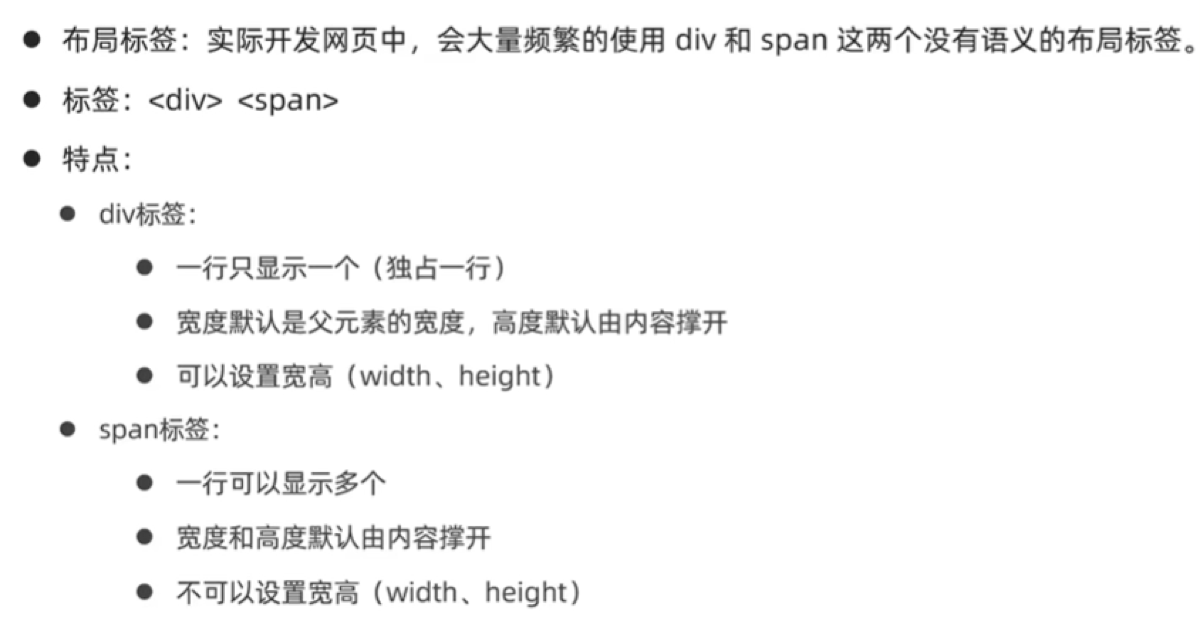
画盒子
 <style>
        .red{
            width: 100px;
            height: 100px;
            background-color: aquamarine;
        }
        .green{
            width: 200px;
            height: 200px;
            background-color: gold;
        }
    </style>
</head>
<body>
    <div class="red">div1</div>
    <div class="green">div2</div>
</body>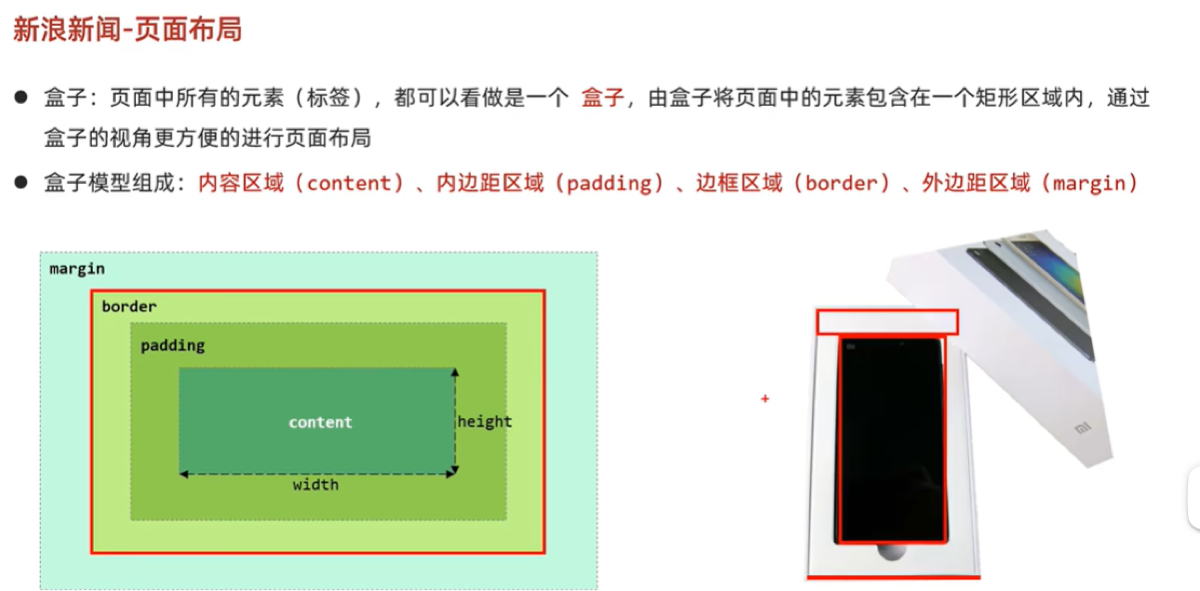
字体修饰属性
- 大小 font-size
- 粗细 font-weight(400,700)
- 倾斜 front-style (normal,italic)
- 行高 line-height (数字+px,数字)
- 行高-垂直居中 行高属性值等于盒子高度属性值
- 字体族 front-family (字体名)
复合属性:
div{
   front:italic 700 30px/2 楷体
}
字号和字体值必须一起书写
-
文本缩进 text-indent(数字+px,数字+em)
-
文本对齐方式 text-align (left(默认),center,right)
-
文本修饰线 text-decoration (none,underline,line-through,overline)
-
颜色 color (四种表示方法)
复合选择器
后代选择器
- 写法:父级选择器 子级选择器 {
- 属性
- }
子代选择器
写法:父级选择器 > 子级选择器 {
- 属性
- }
并集选择器
写法:选择器 , 选择器 , 选择器 {
- 属性
- }
伪类选择器
- 伪类表示元素状态,选择元素的某个状态设置样式
- 鼠标悬停状态:
选择器:hover{CSS属性} - 四类状态:1,link 2,visited 3,hover 4,active
CSS三大特性
-
继承性 子集有属性则不会继承父级
-
层叠性 相同属性会覆盖 不同属性为叠加
-
优先级:通配符<标签选择器<类选择器<id选择器<行内样式<!important(即选择标签范围越大,优先级越低)
优先级-叠加计算规则
Emment写法
代码的简写方式,输入缩写VS code会自动生成对应代码
结构伪类选择器
选择器:first-child查找第一个标签的元素
选择器:last-child查找最后一个标签的元素
选择器:nth-child 查找第N个标签的元素(第一个元素N的值为1)
伪元素选择器
选择器::before(after){
  content:"内容"
  属性
}