字符串定义方式
-
双引号定义法 “字符串”
-
单引号定义法 ‘字符串’
-
三引号定义法 """字符串"""
-
引号的嵌套 用""来转义一个字符
字符串拼接
print("我的名i:"+name+ ",我可以教大家学习")- 字面量与变量之间的拼接 注意:拼接不能与整数,浮点数等拼接,可以将整数转换为字符串
字符串格式化
name="heima"
message="学it就来%s" %name
print(message)- %表示:我要占位
- s表示:把变量变成字符串放入占位的地方(d:变为整数,f:变为浮点数) 注意:多个变量占位,变量要用括号括起来按顺序填入
- 数字精度控制”m.n“
- 快速写法:
f"内容{变量}"(对精度没要求是用) - 表达式也可以格式化
f"{表达式}"
类型转换
数据类型(x):将x转换为当前数据类型
标识符命名规则
数字不可以开头
算数(数学)运算符
//
:取整数。即抓大头
%
:取余。即抓尾巴
**
:指数。例:2**10为2的10次方
数据输入
name=input("请告诉我你是谁")
print("Get!!!你是:%s" % name)
input(提示信息)
注意输入的永远是字符串类型
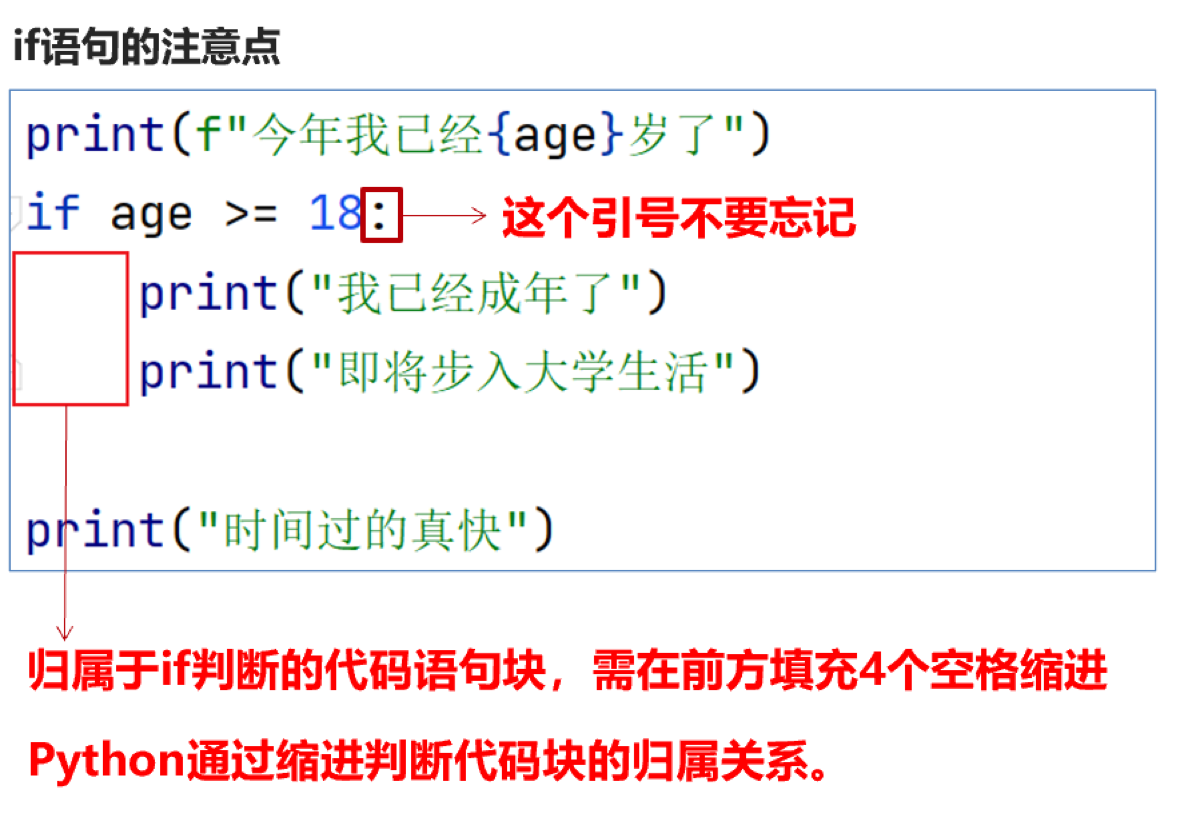
if格式
随机数

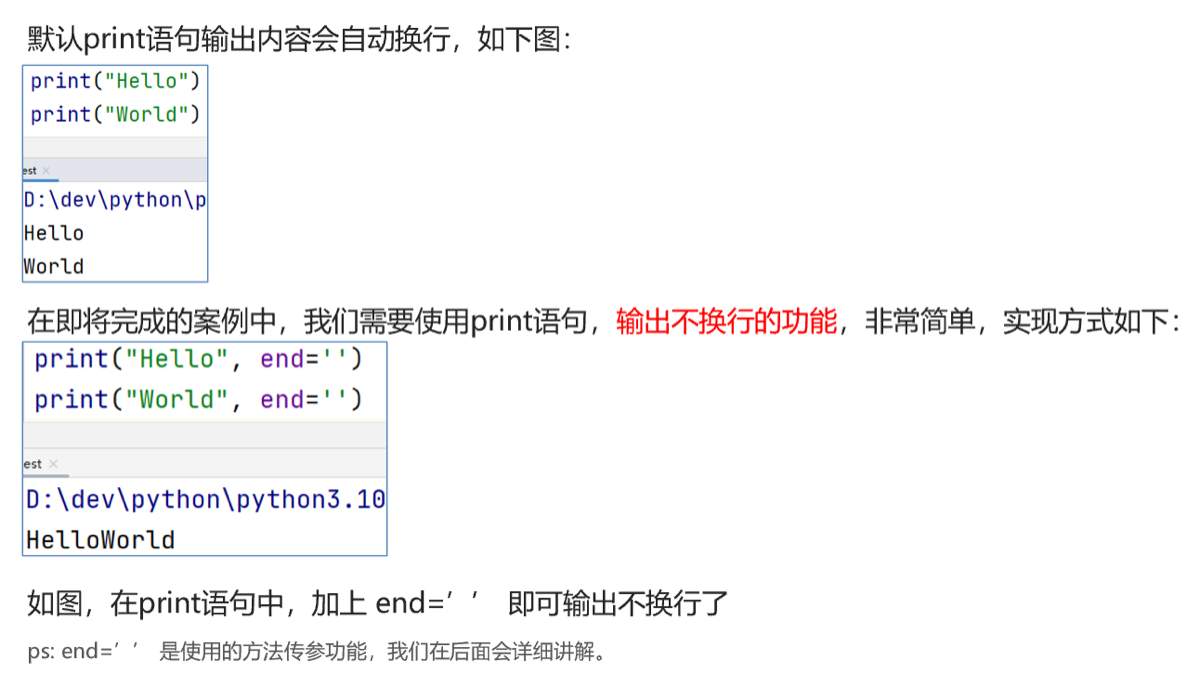
print输出不换行
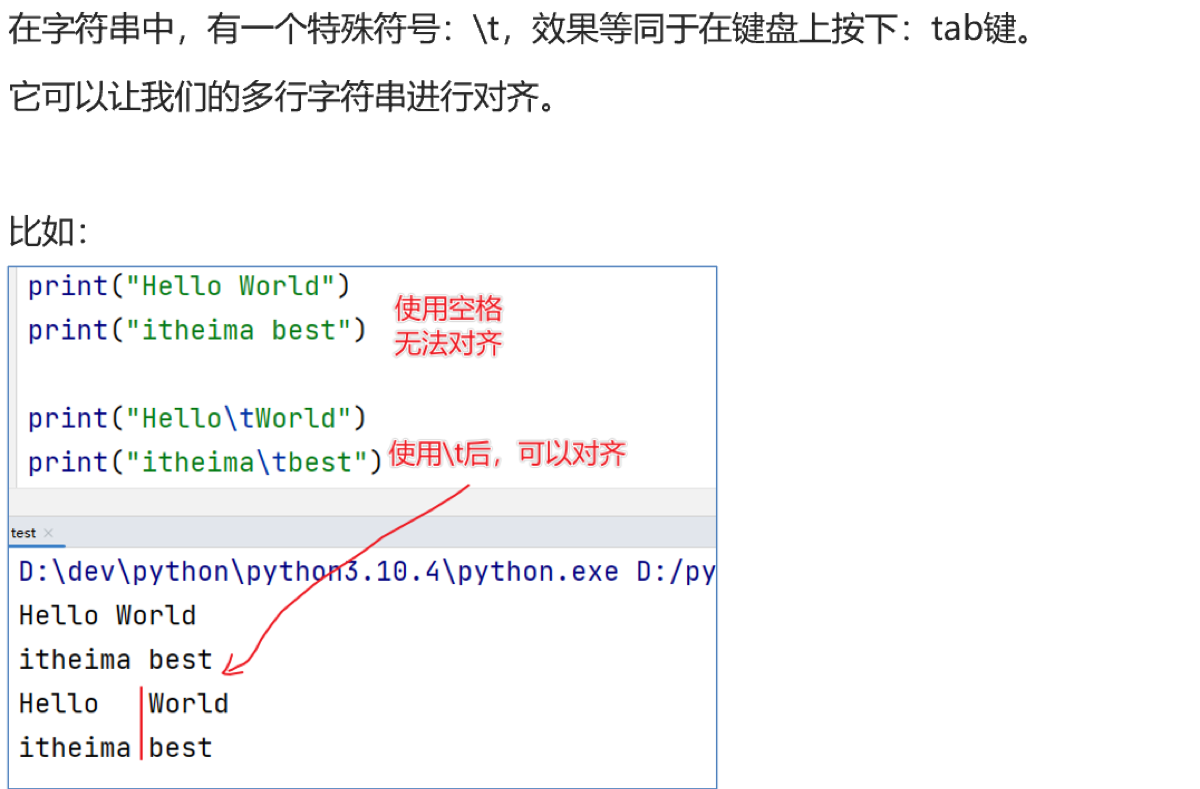
制表符 \t
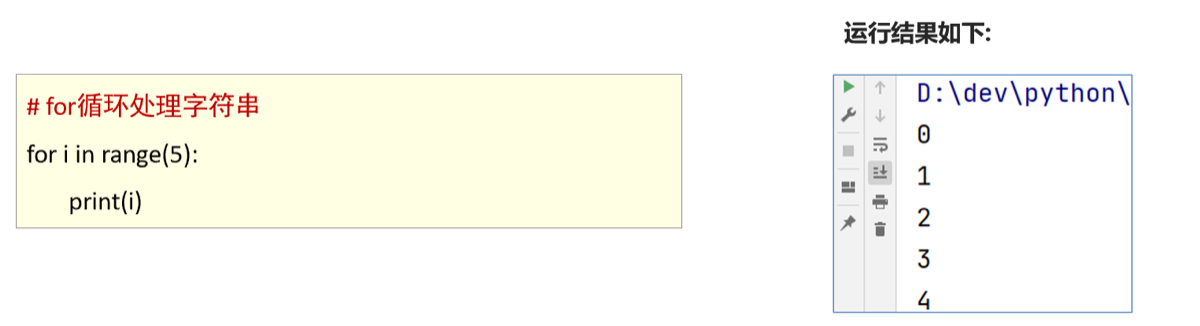
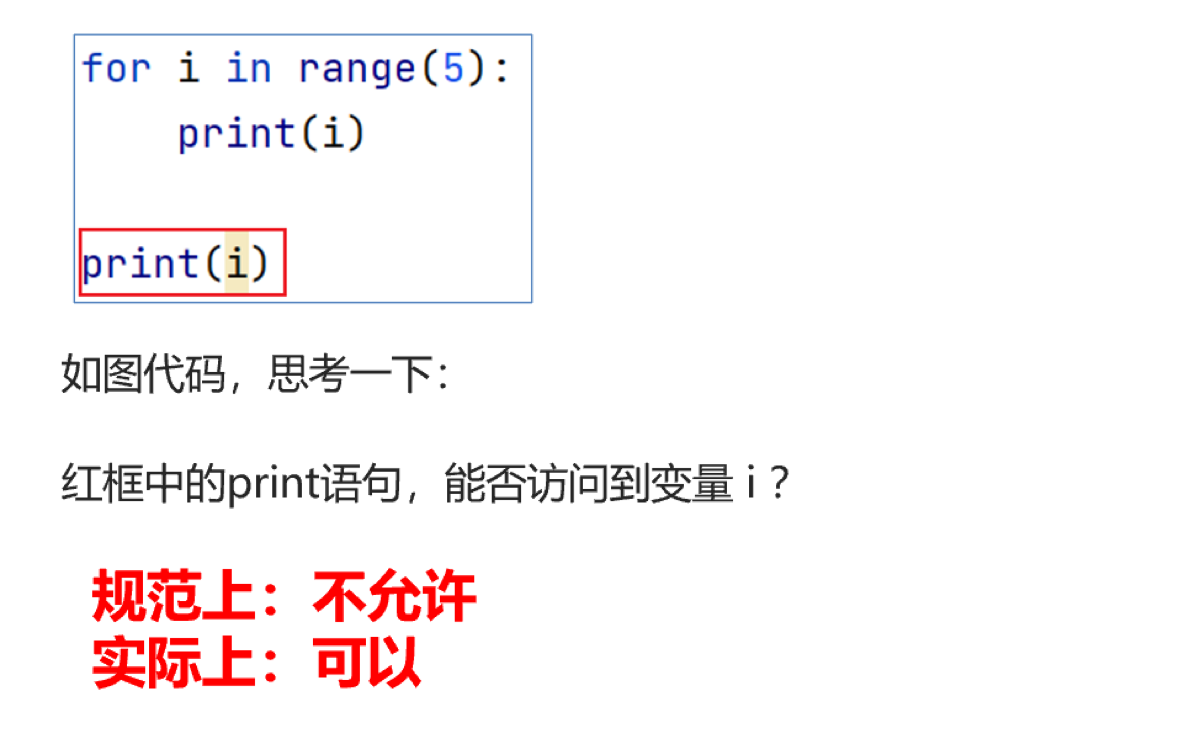
for 遍历字符
name="hello"

for x in name:
    print (x)
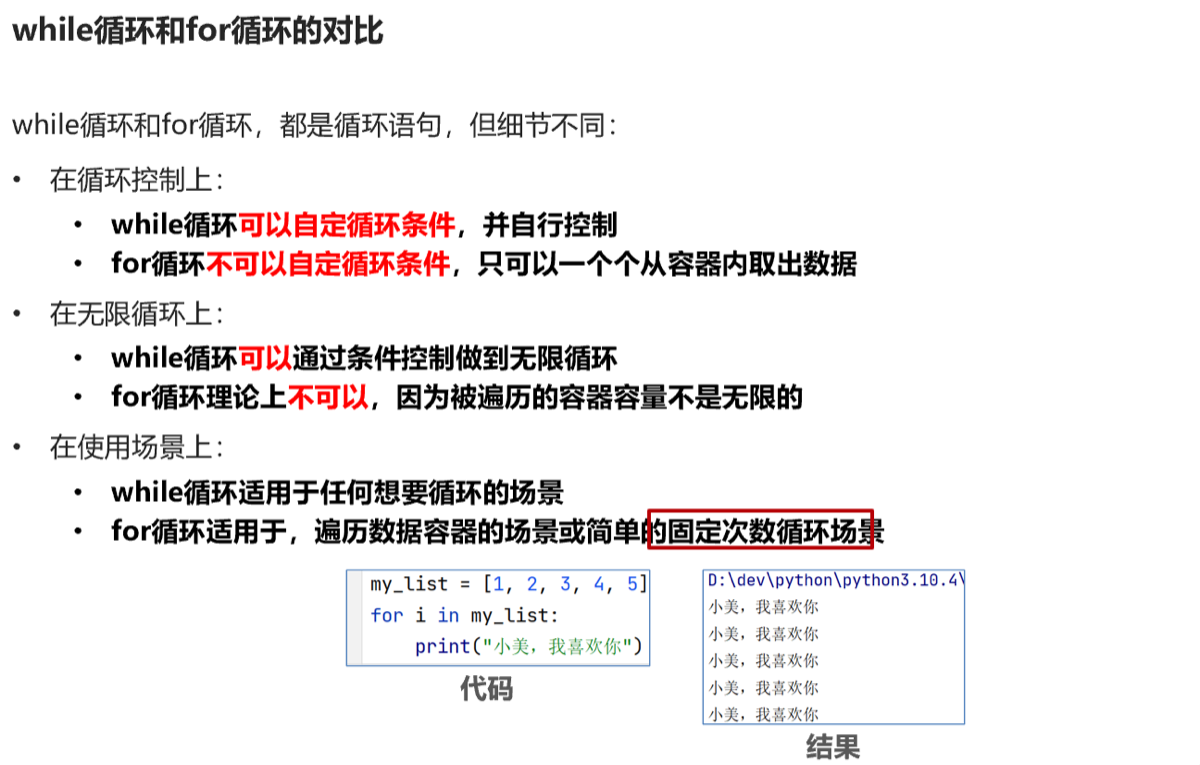
for循环条件
- 无法定义循环条件,只能被动取出数据
- 循环内的语句,需要空格缩进
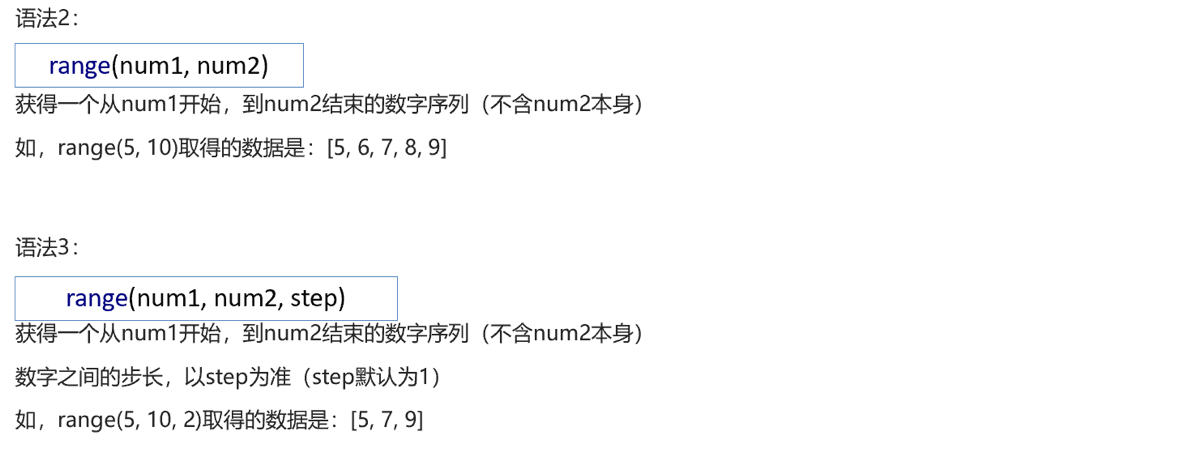
range语句

绷
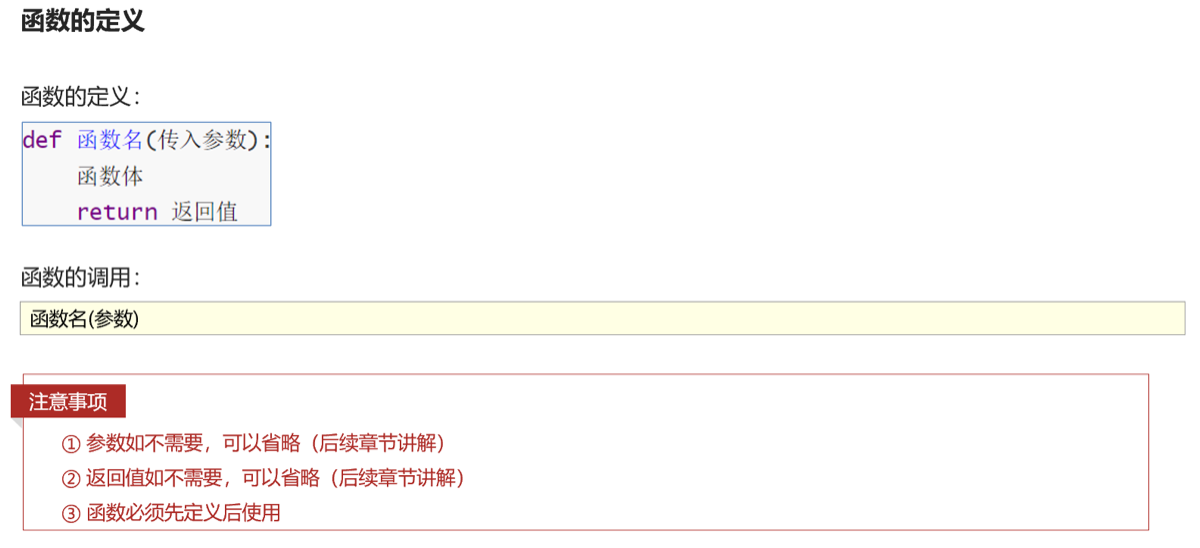
函数
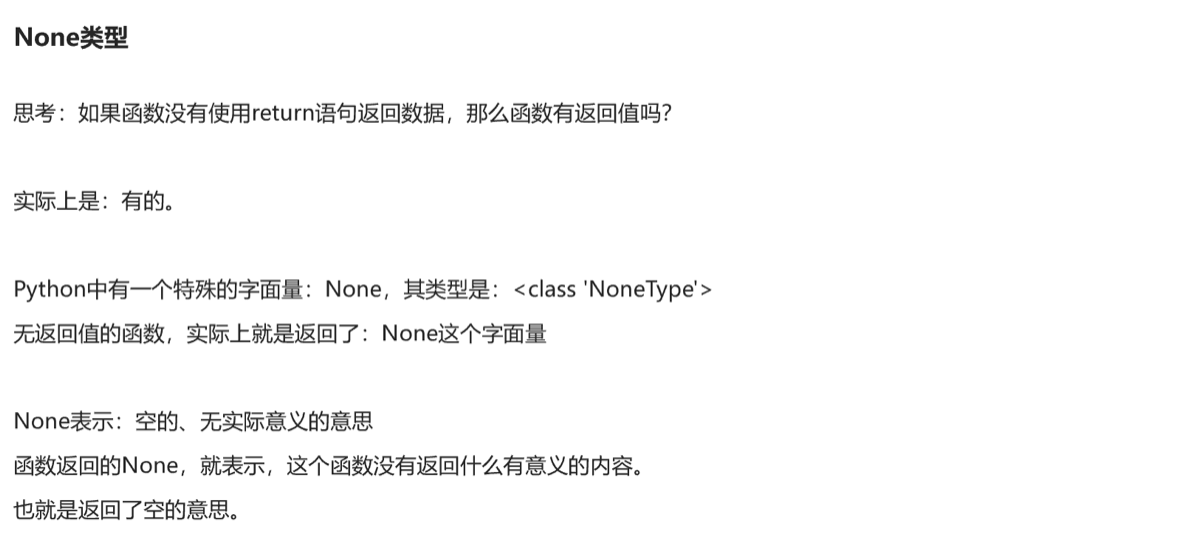
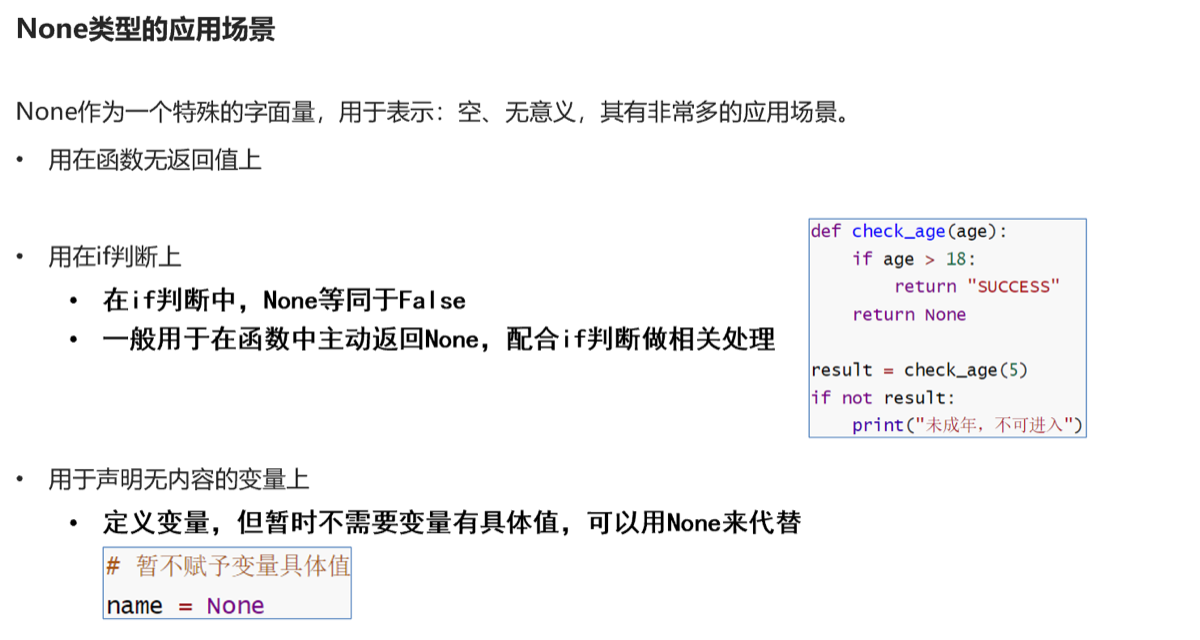
None类型
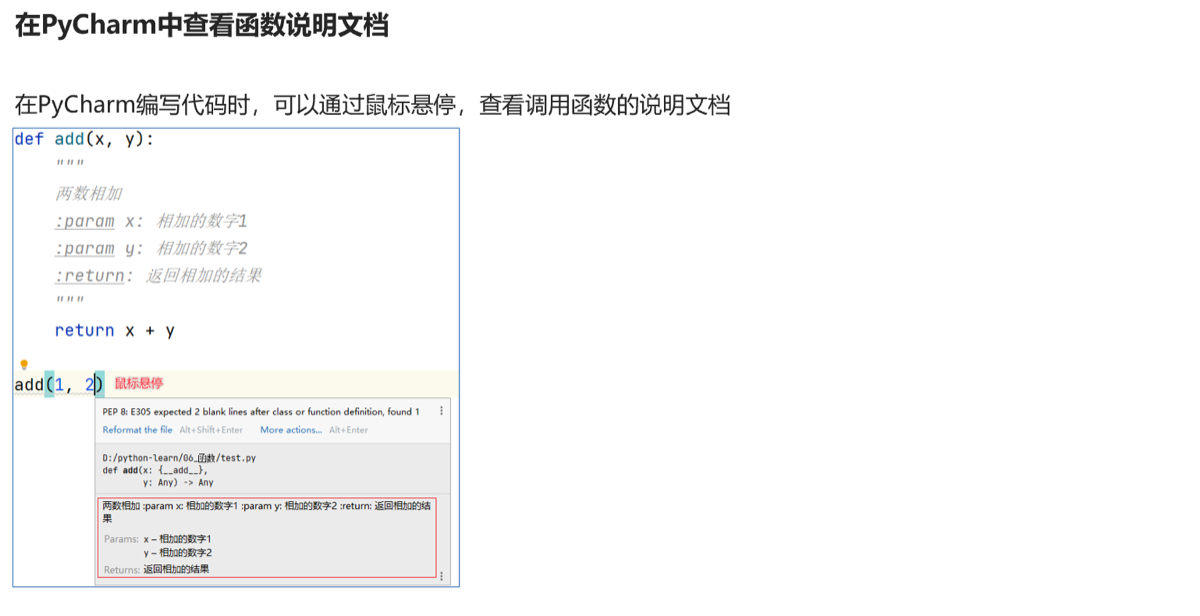
函数说明文档
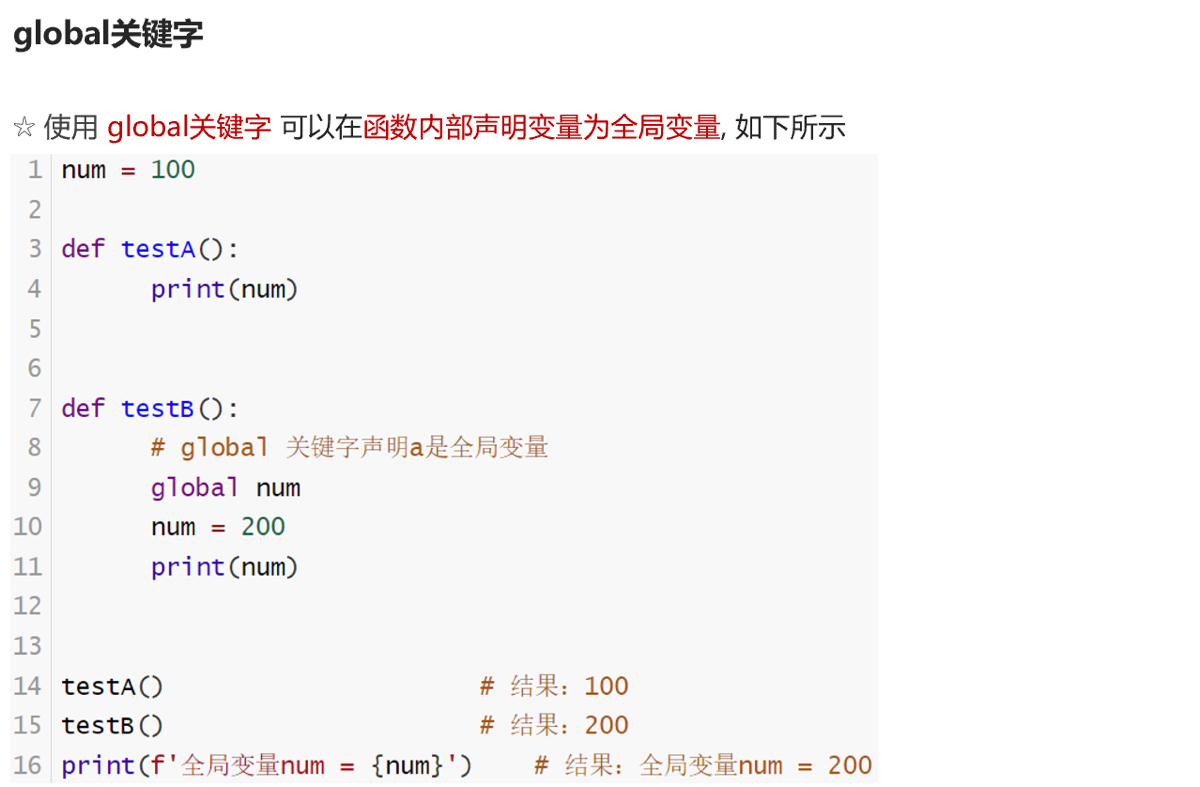
global关键字
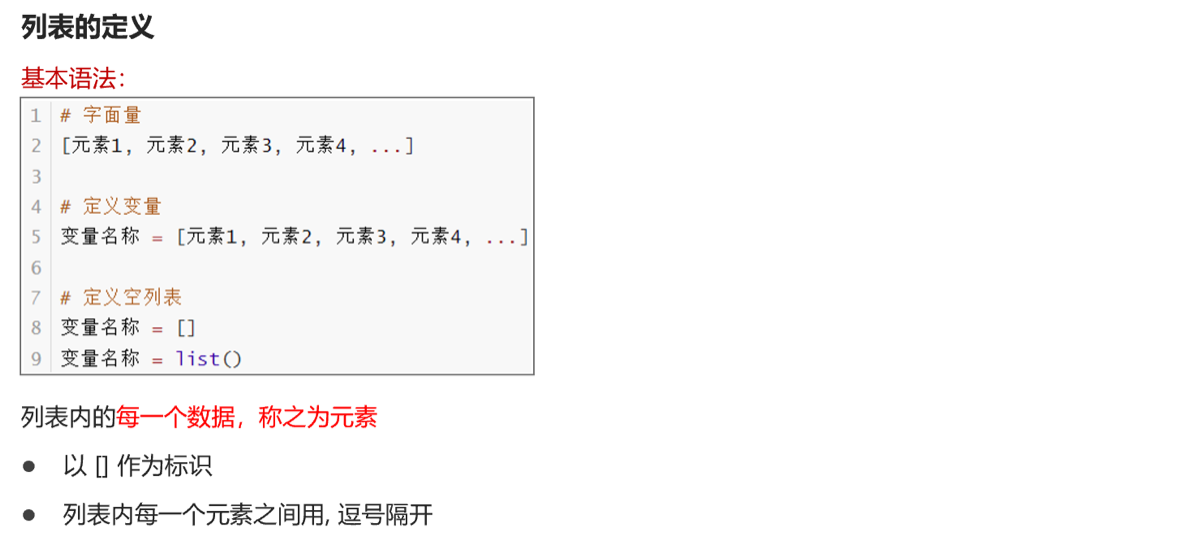
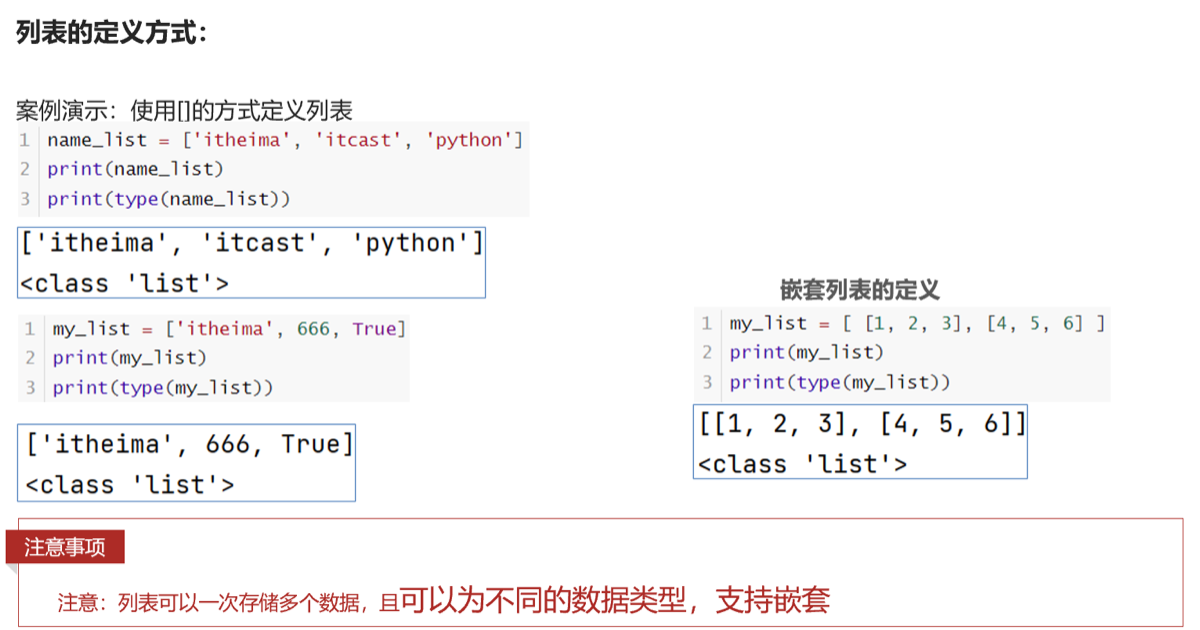
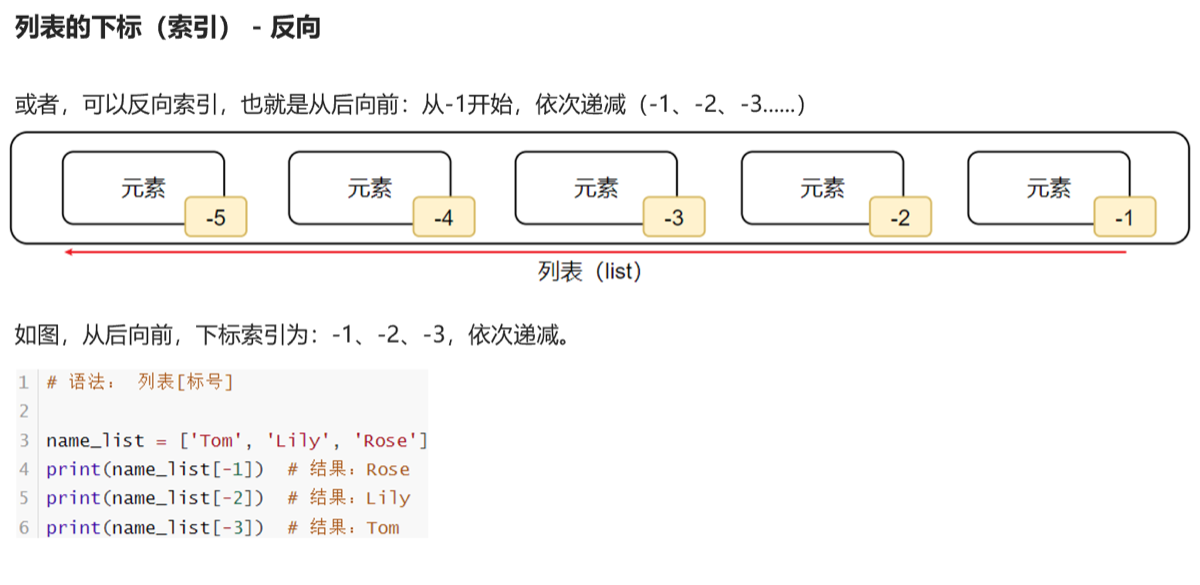
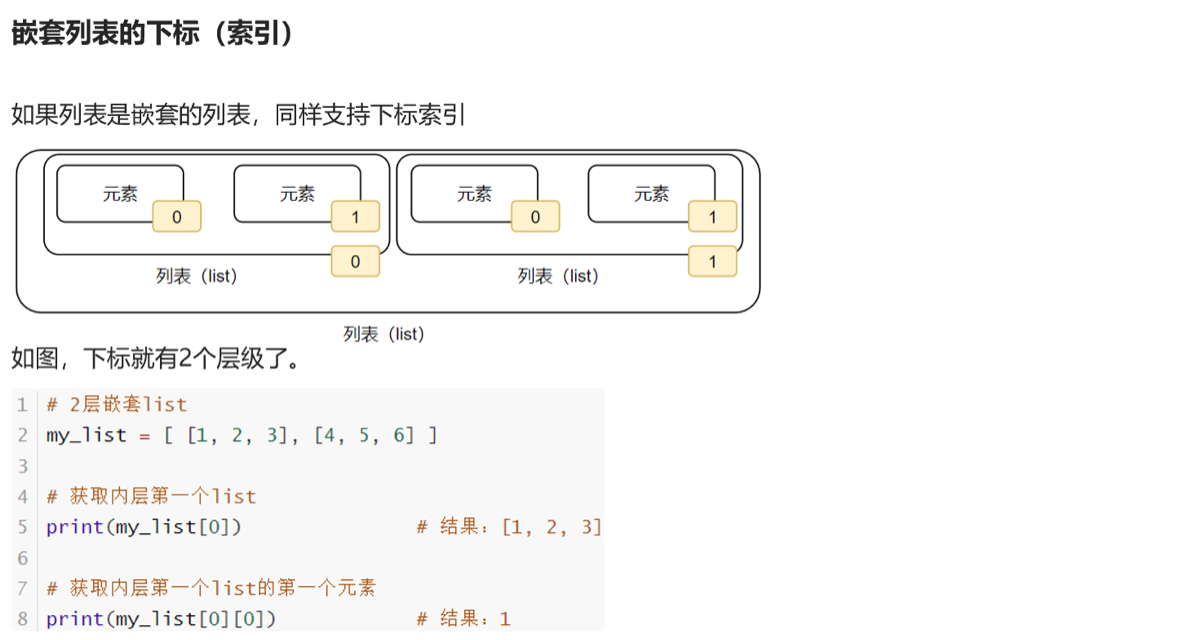
1.list []
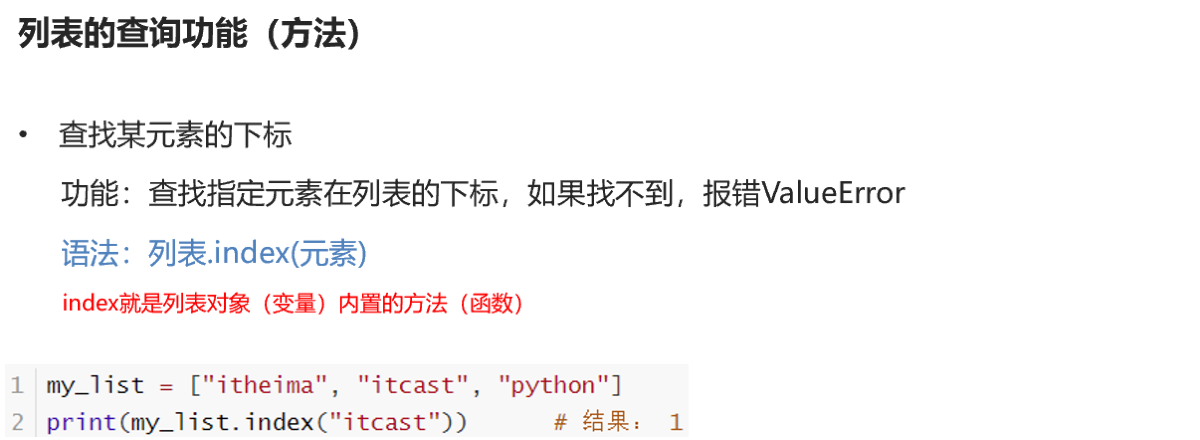
查询
python中,定义在类里的函数为方法
修改
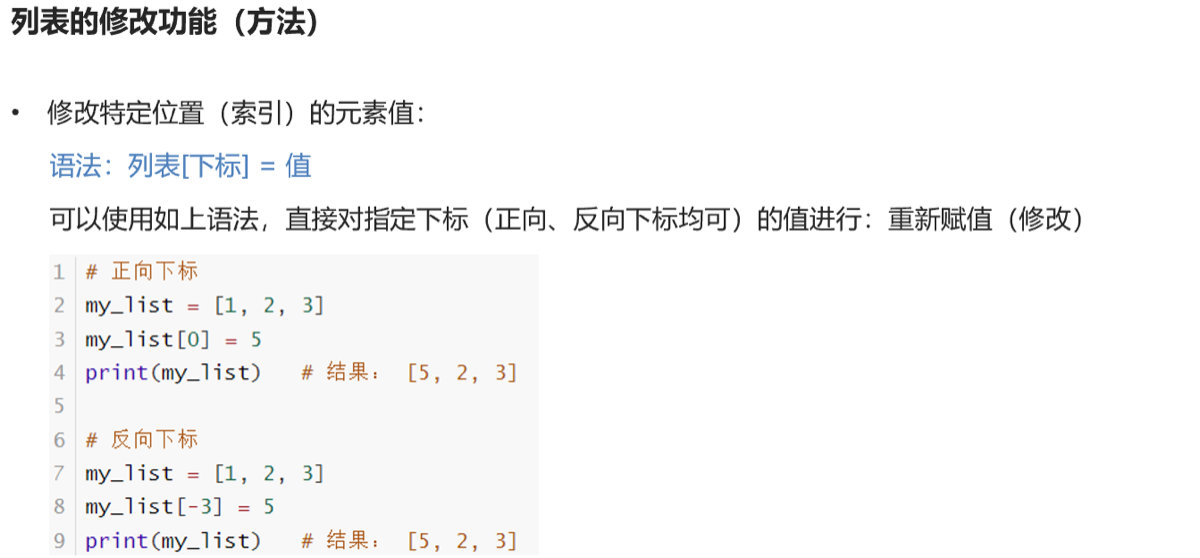
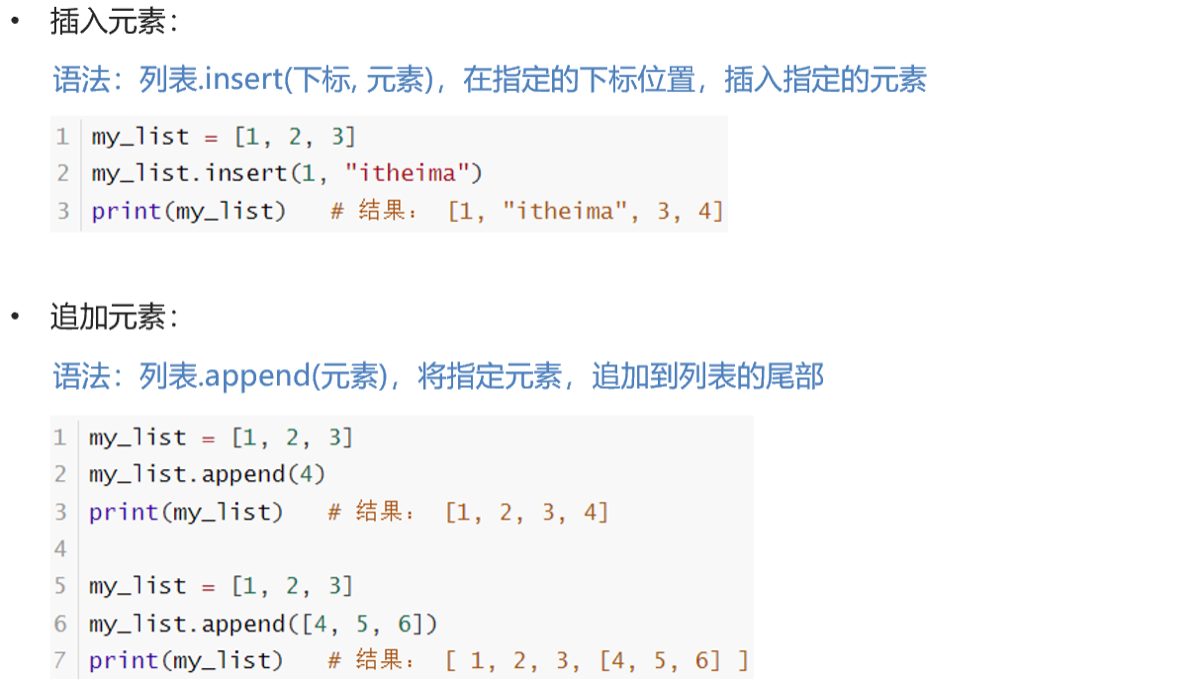
插入
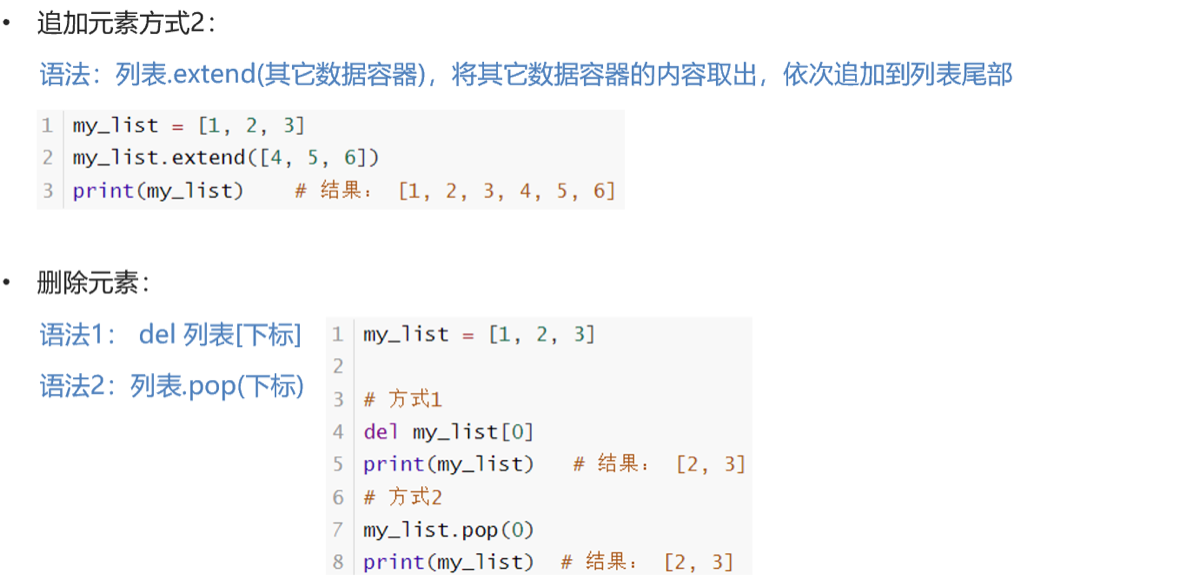
删除
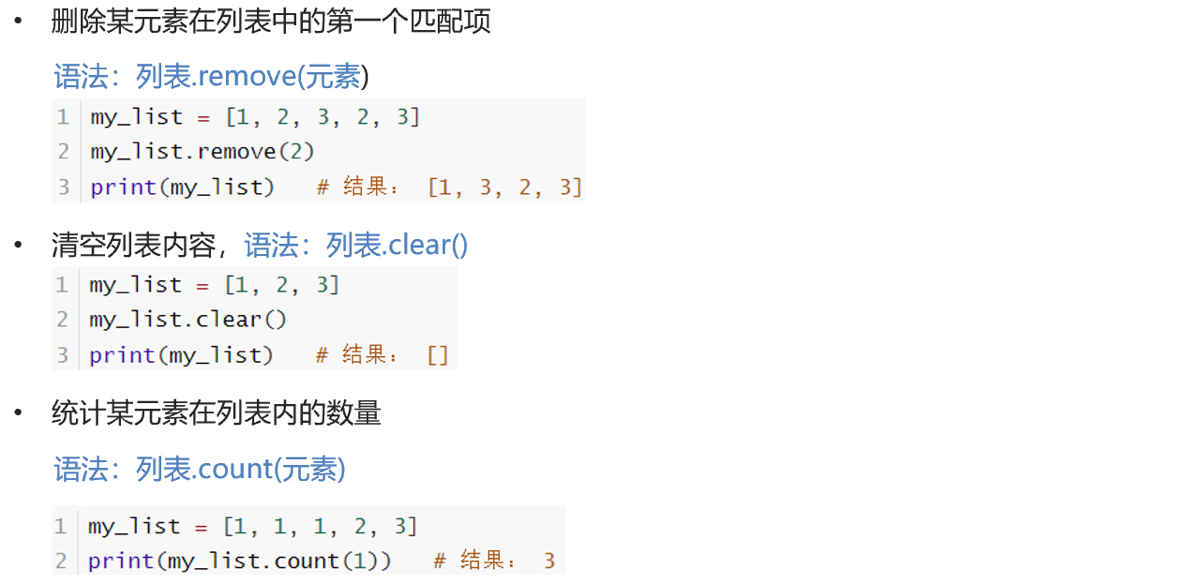
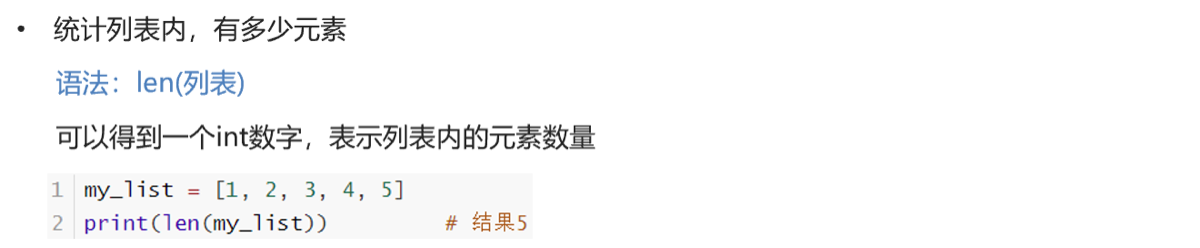
清空 统计
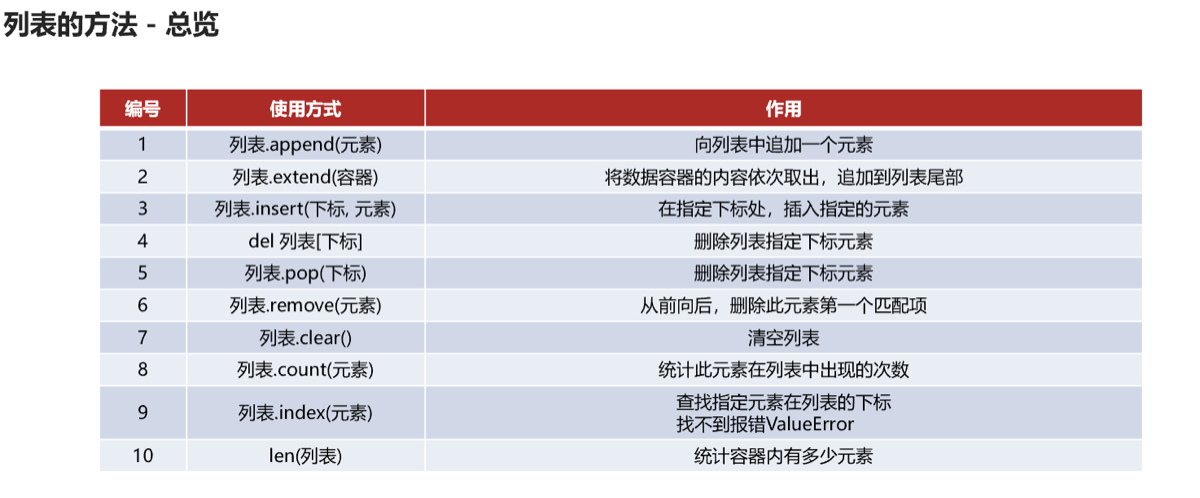
总览
容器的循环遍历
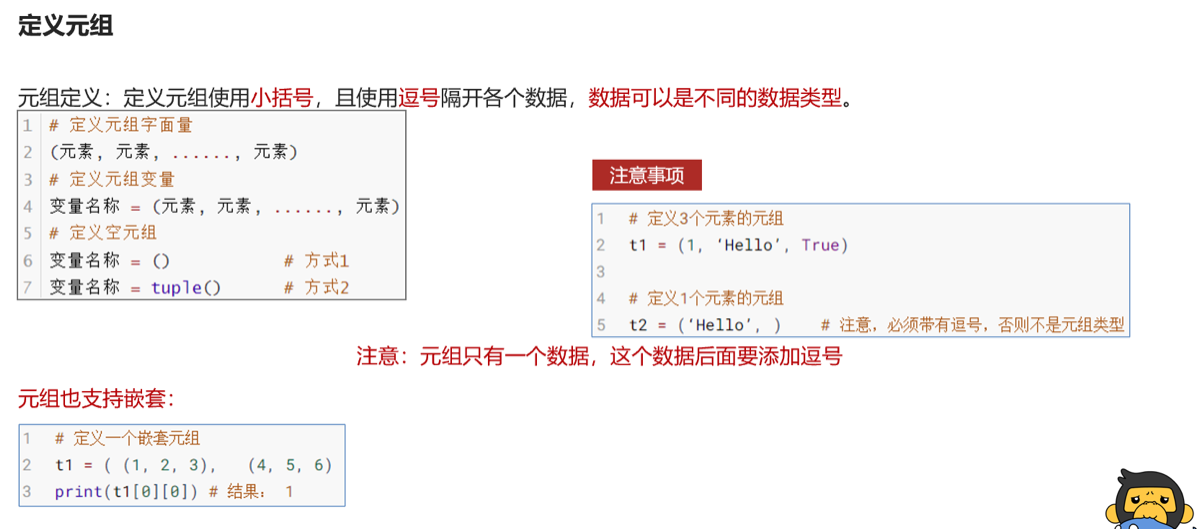
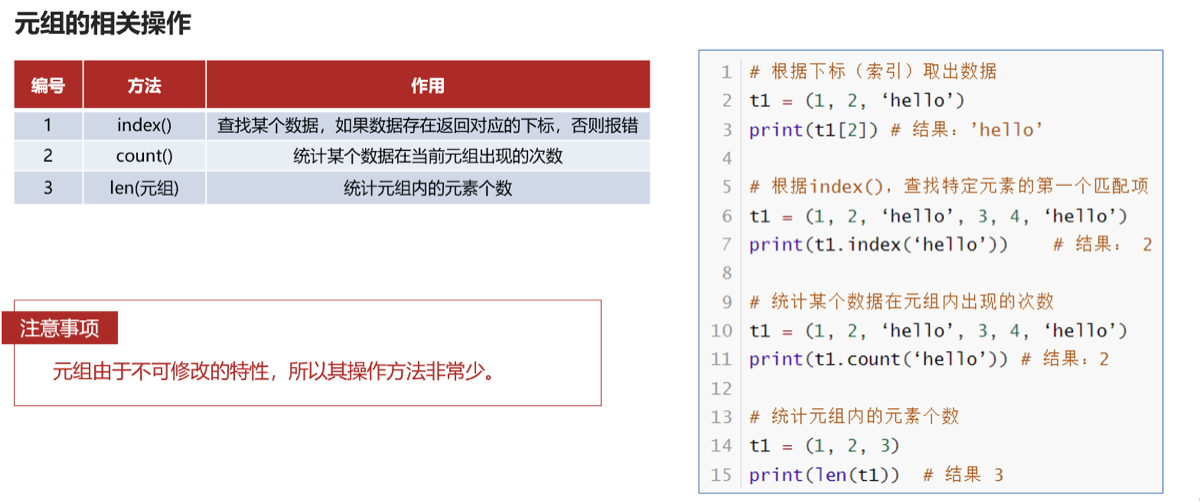
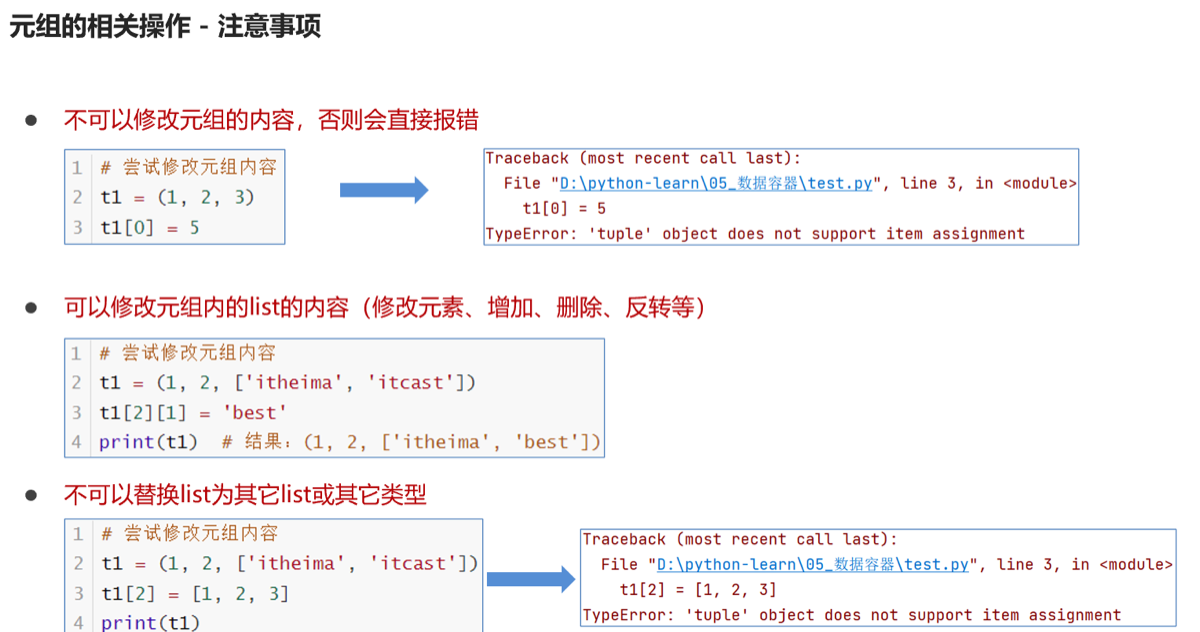
1.元组tuple
与列表唯一不同是不可修改元素
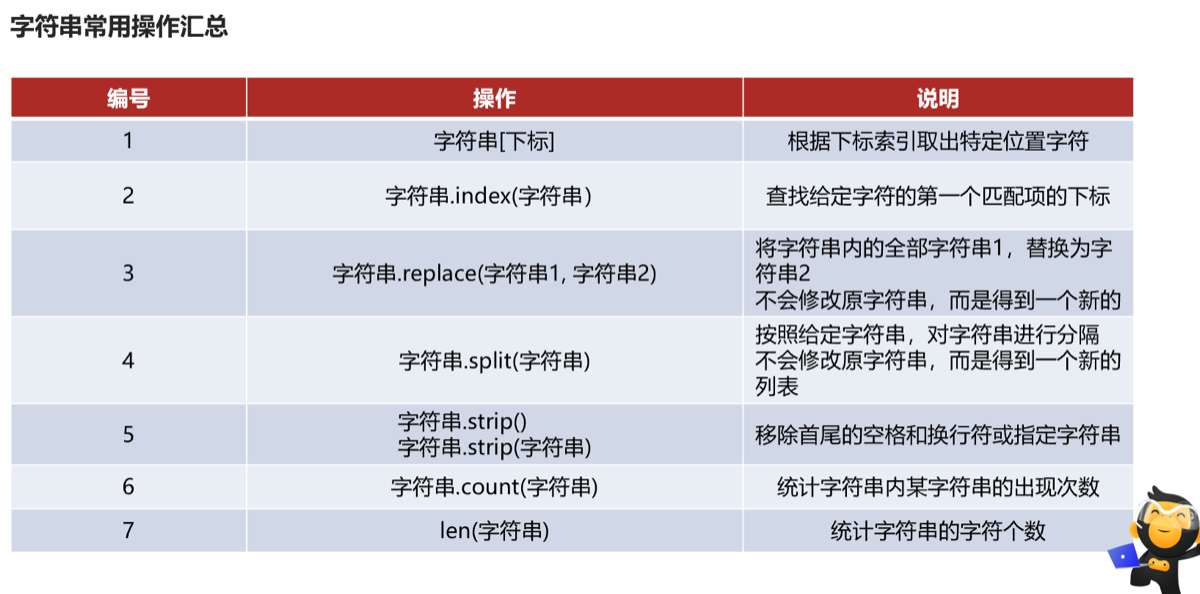
3.字符串str
同元组不可编辑的容器
 支持for while 循环
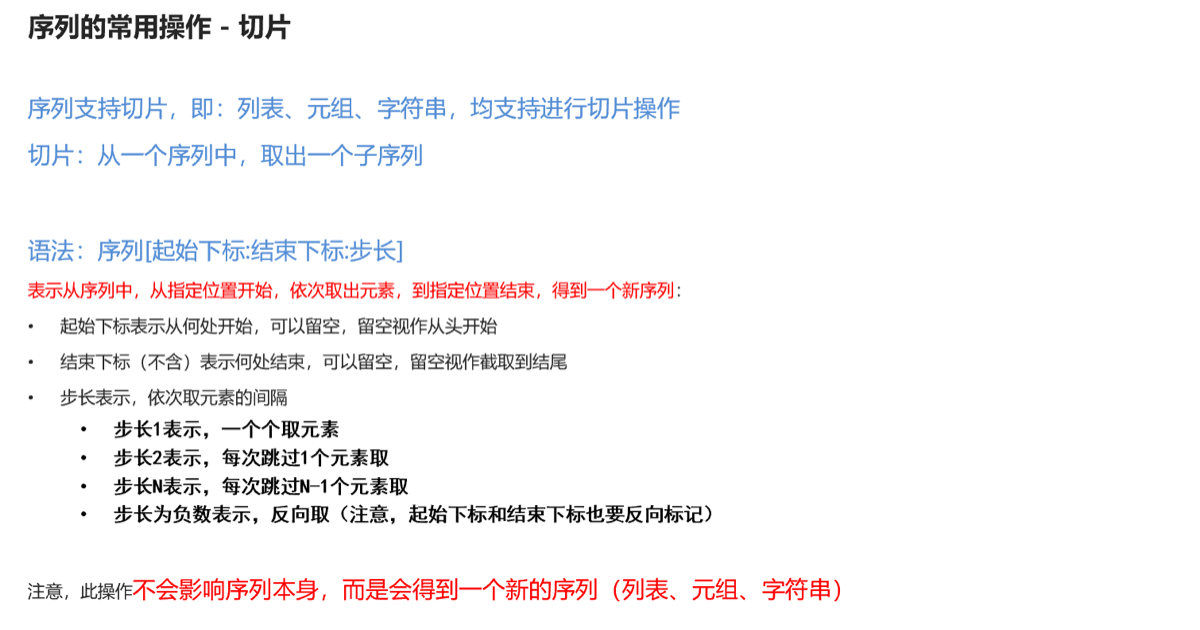
★序列
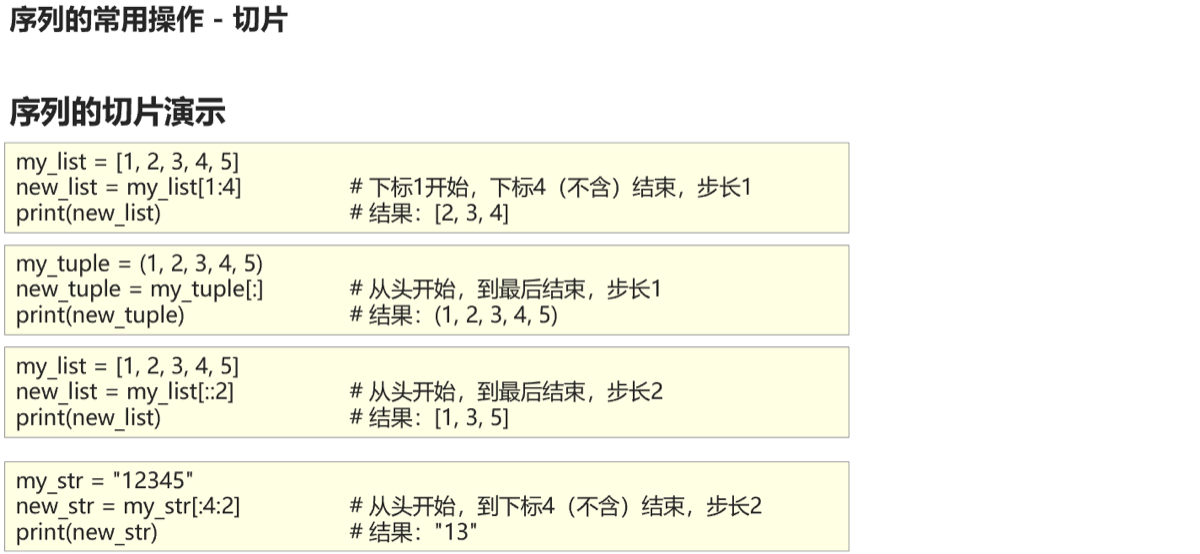
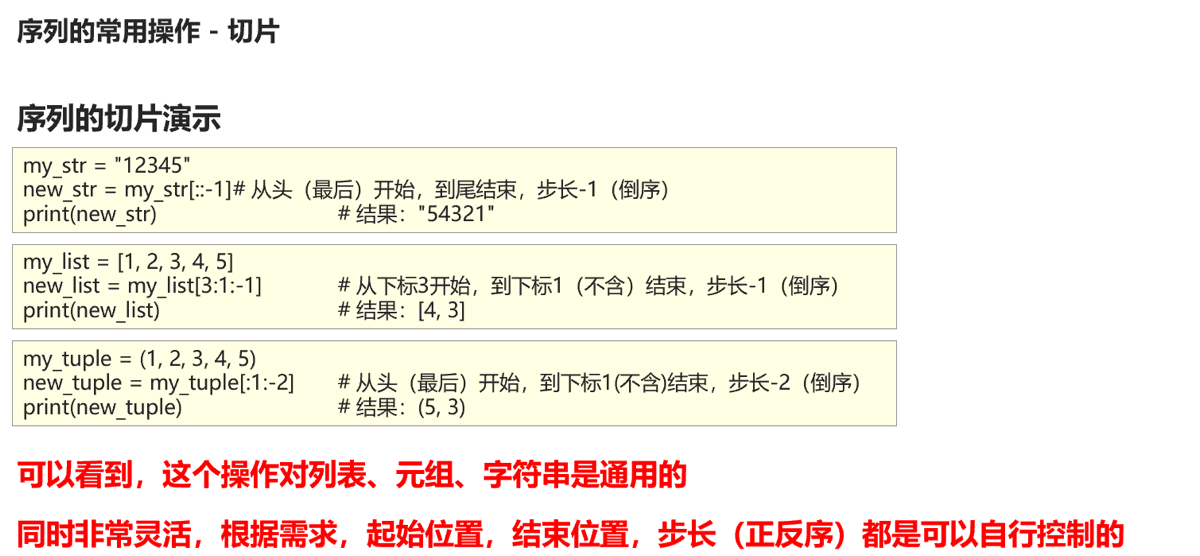
4.集合 set
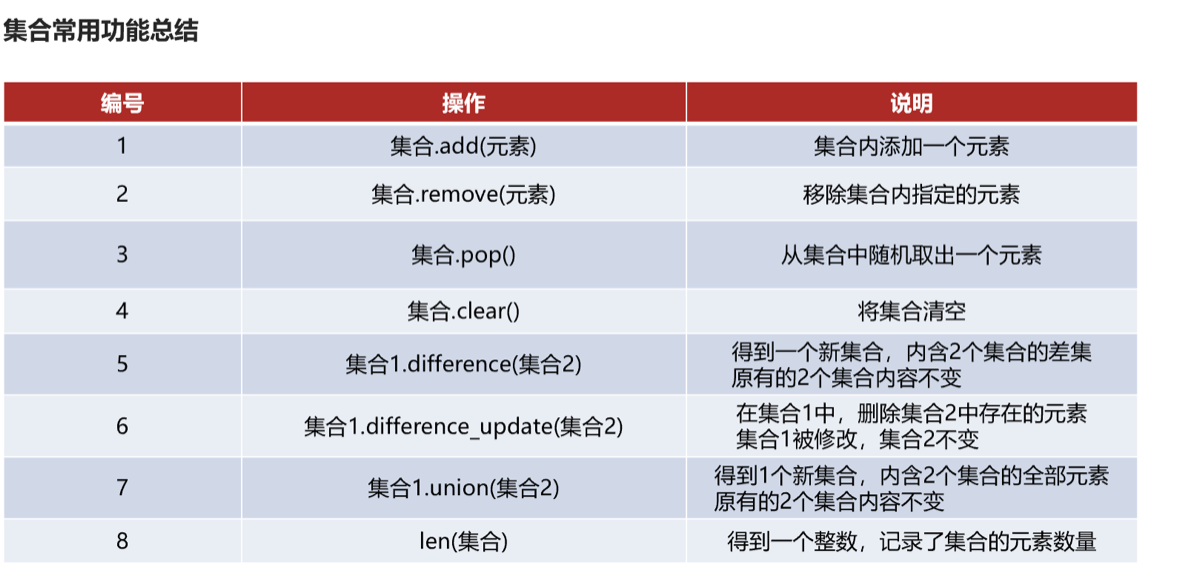
 由于不支持下标存储,故不支持while循环
5.字典,映射dict {}
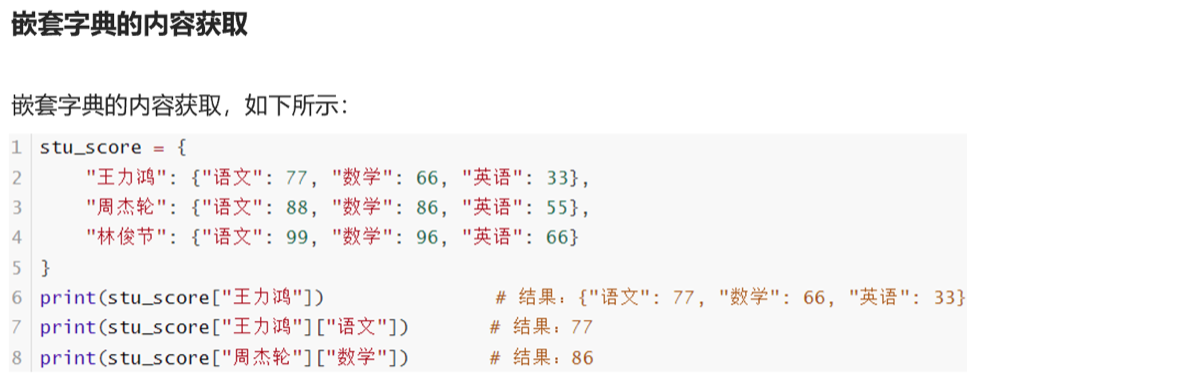
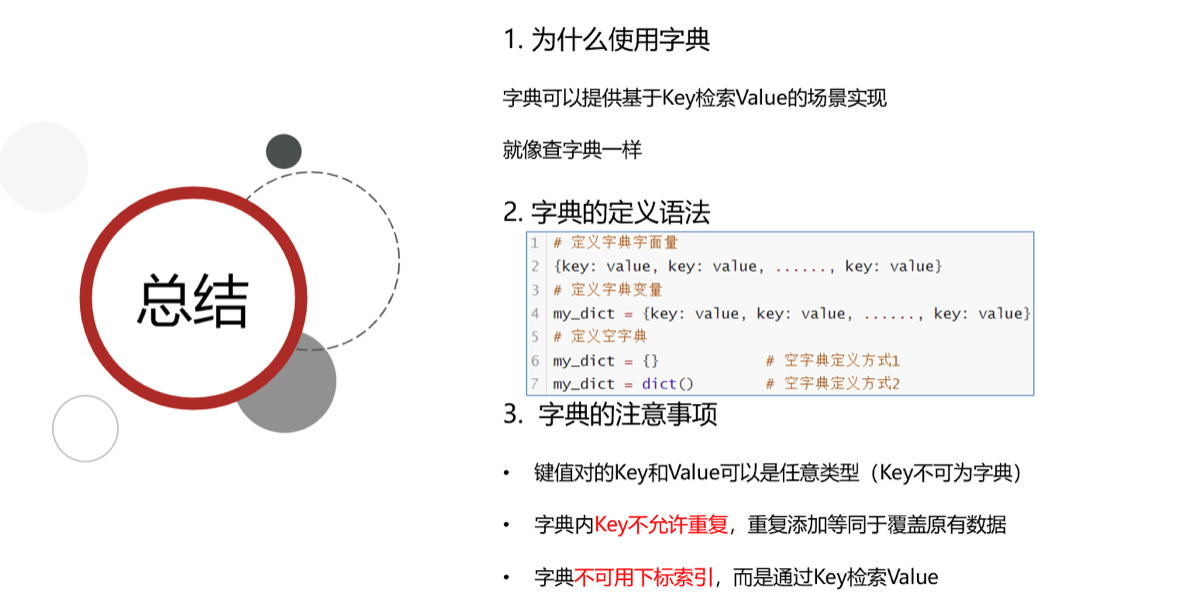
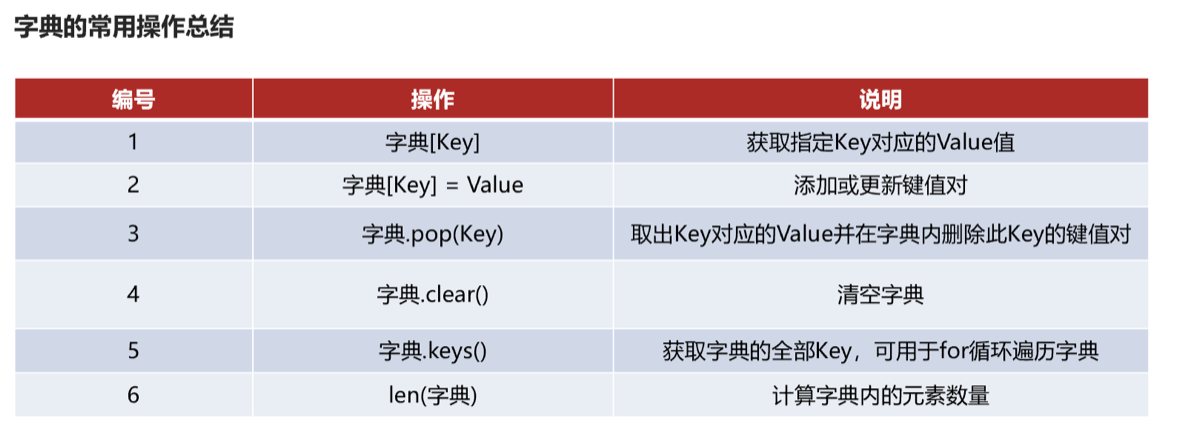
- 不可用while循环因为不支持下标索引
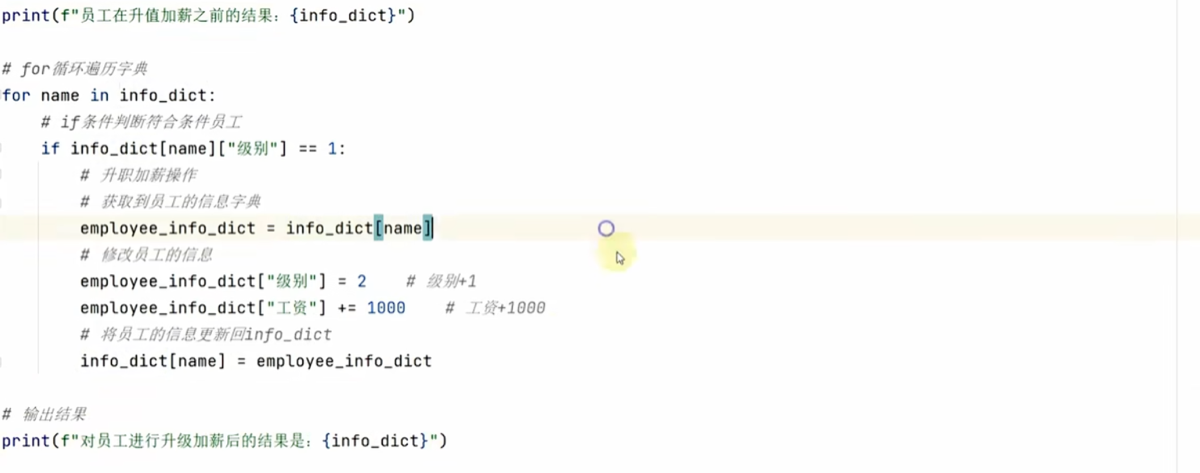
容器比较
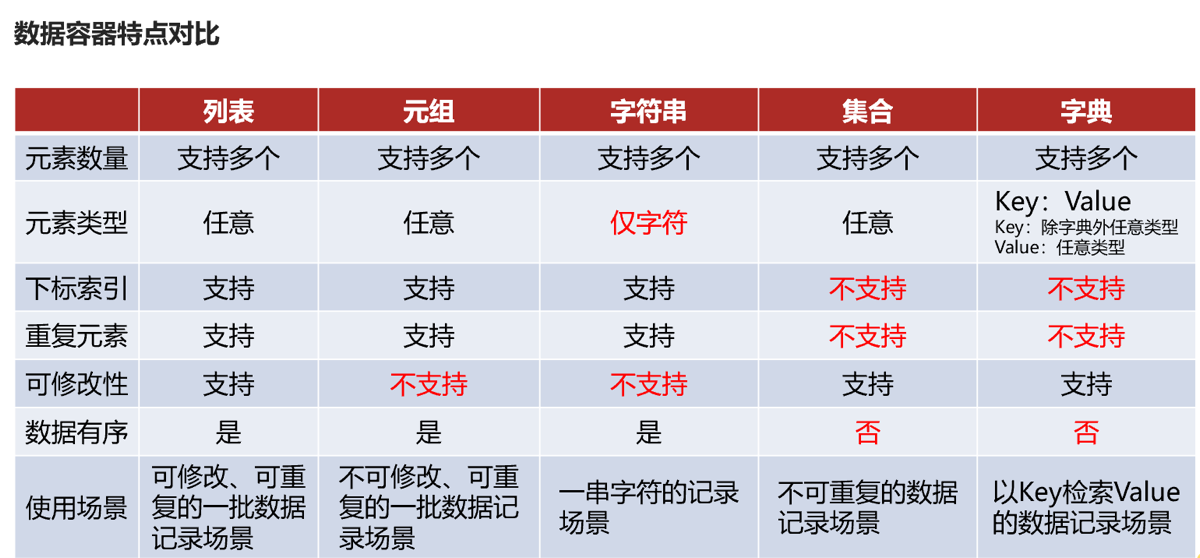
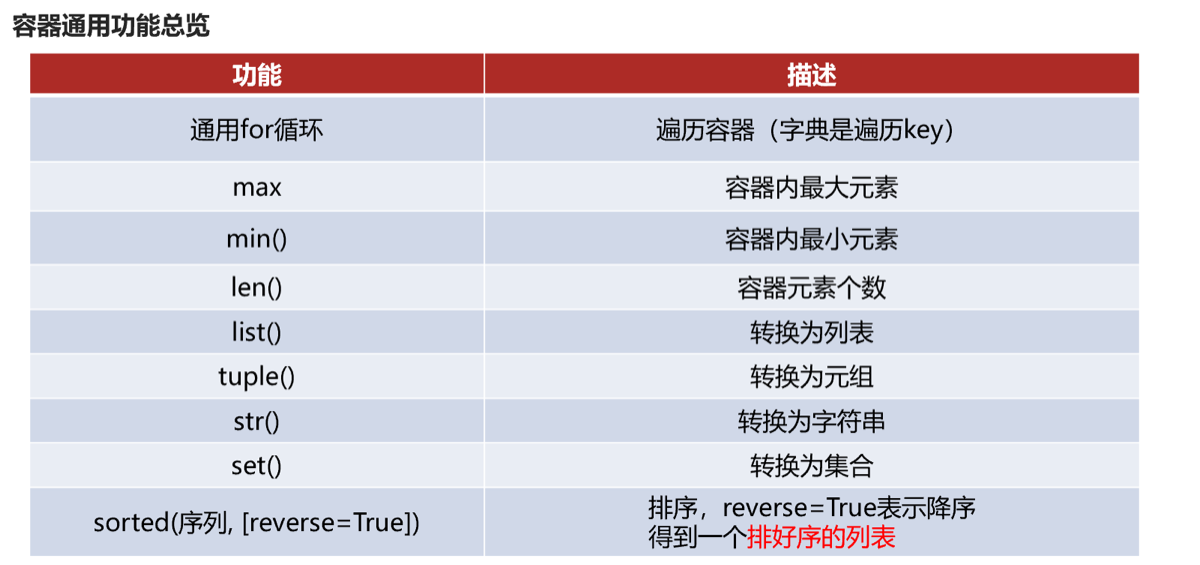
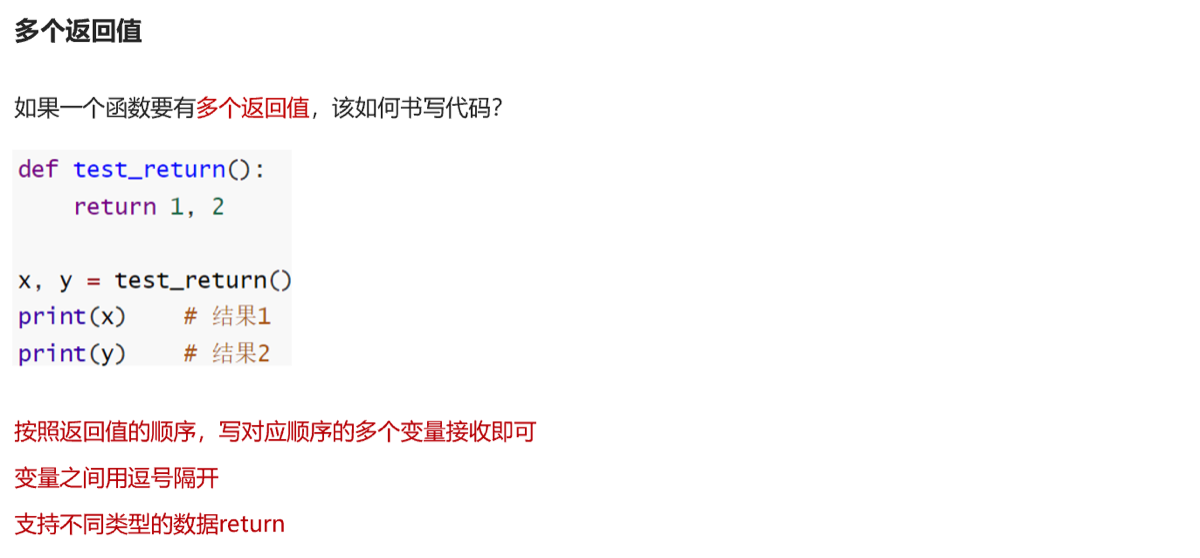
函数进阶
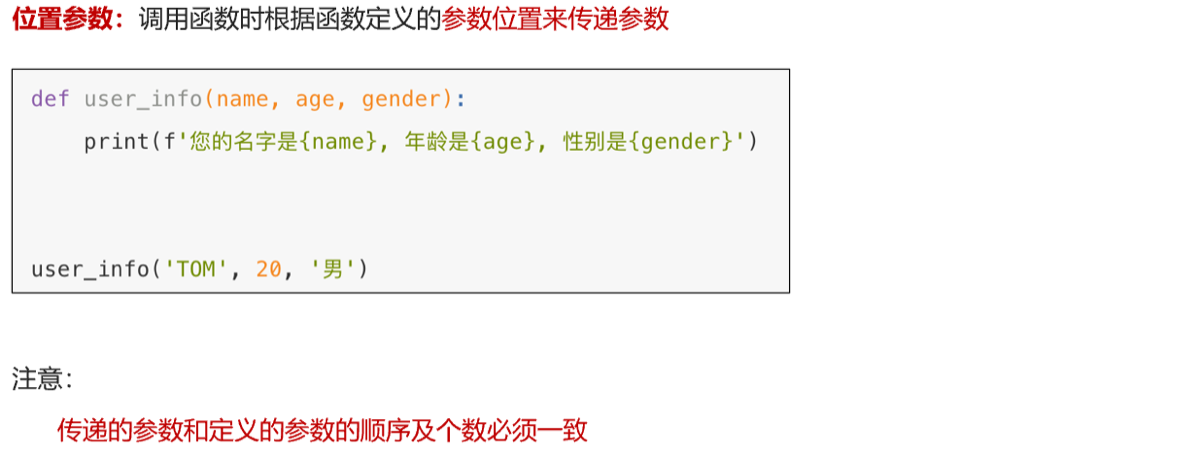
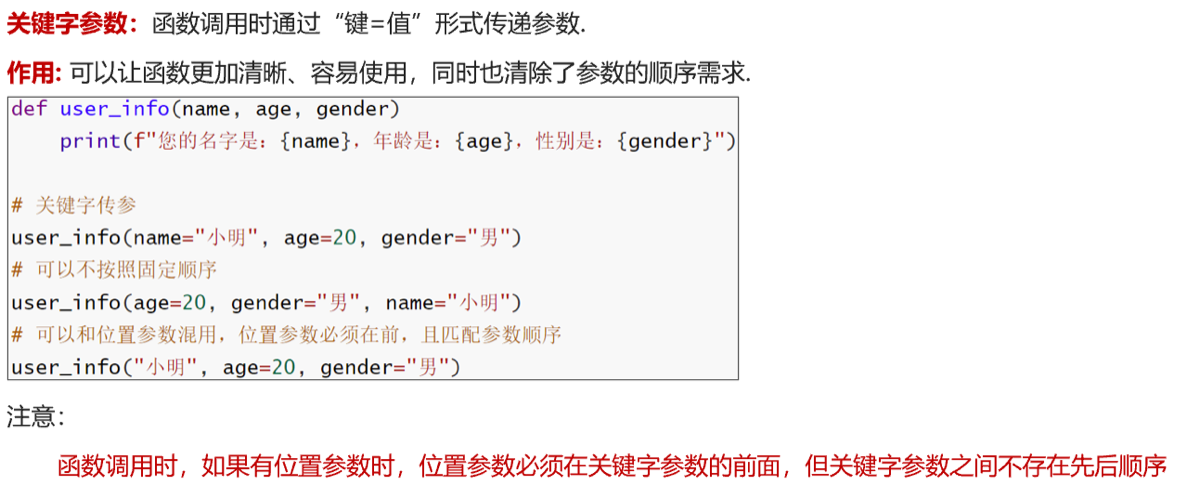
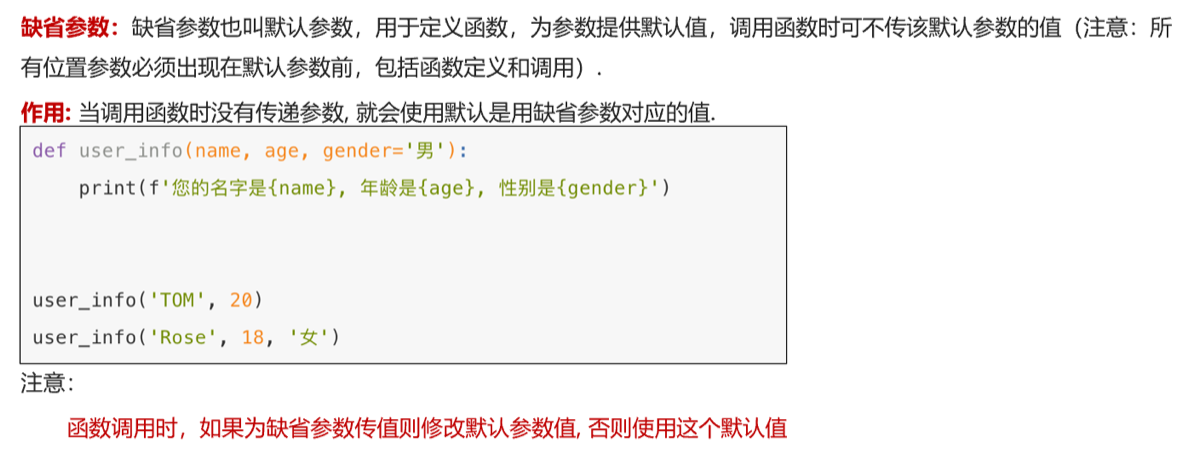
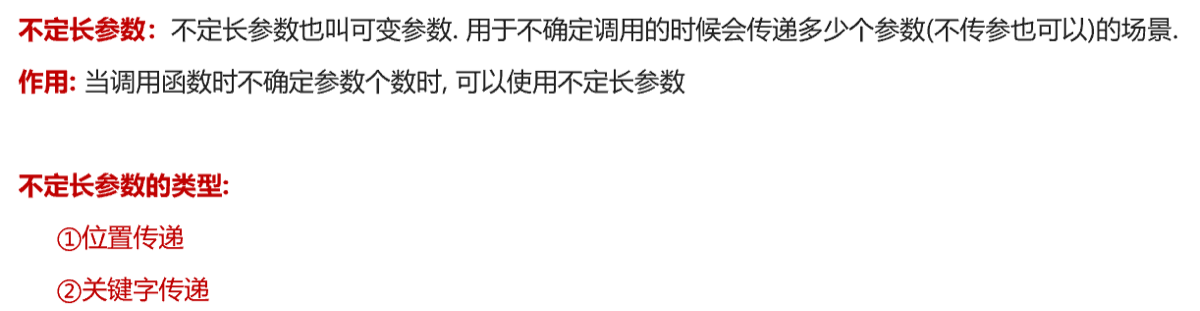
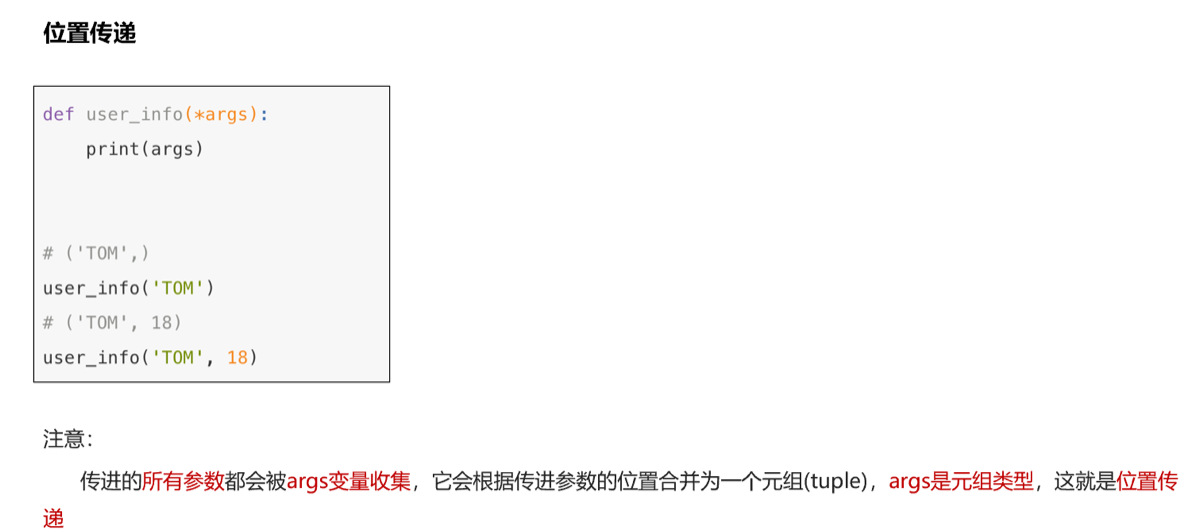
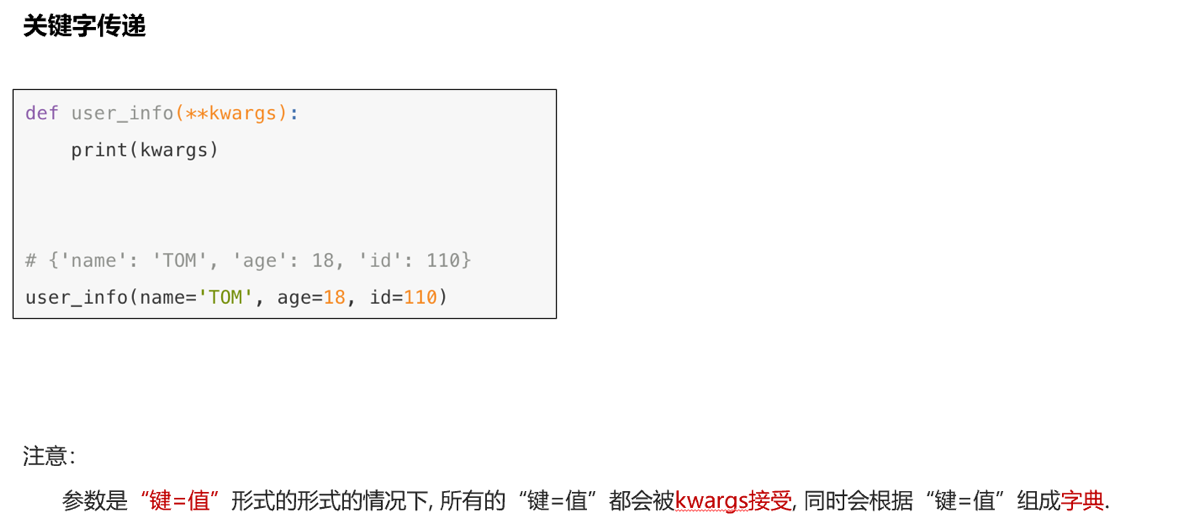
函数参数种类

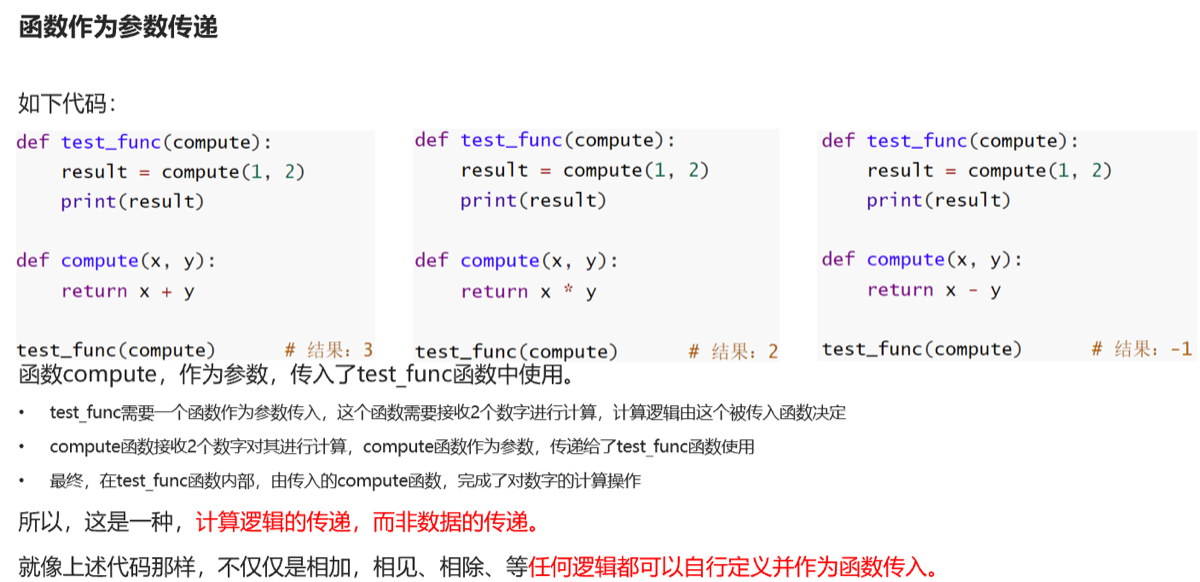
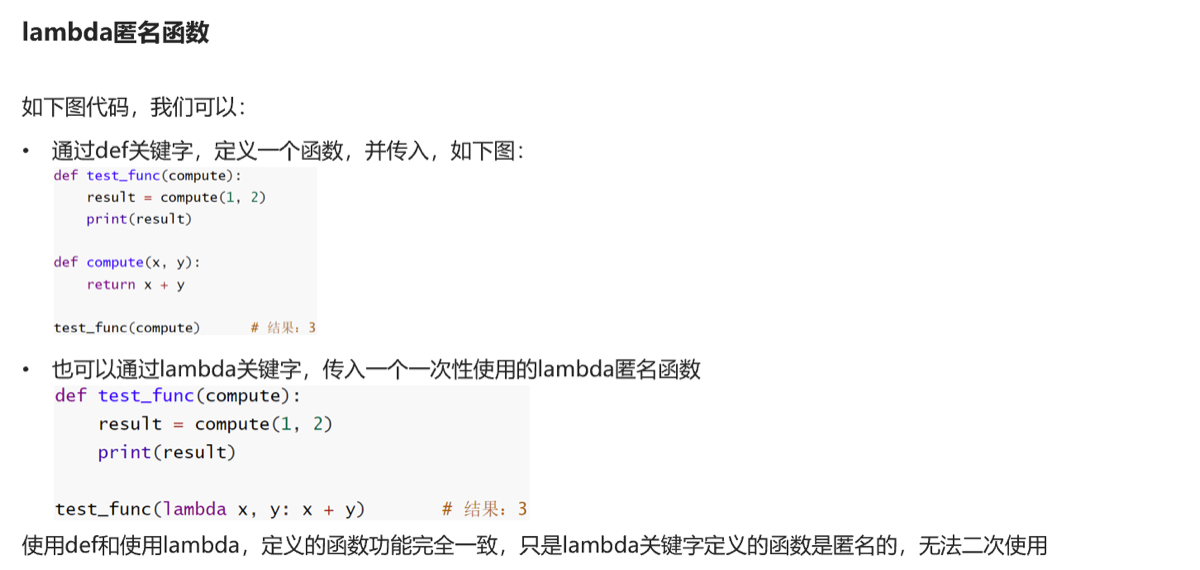
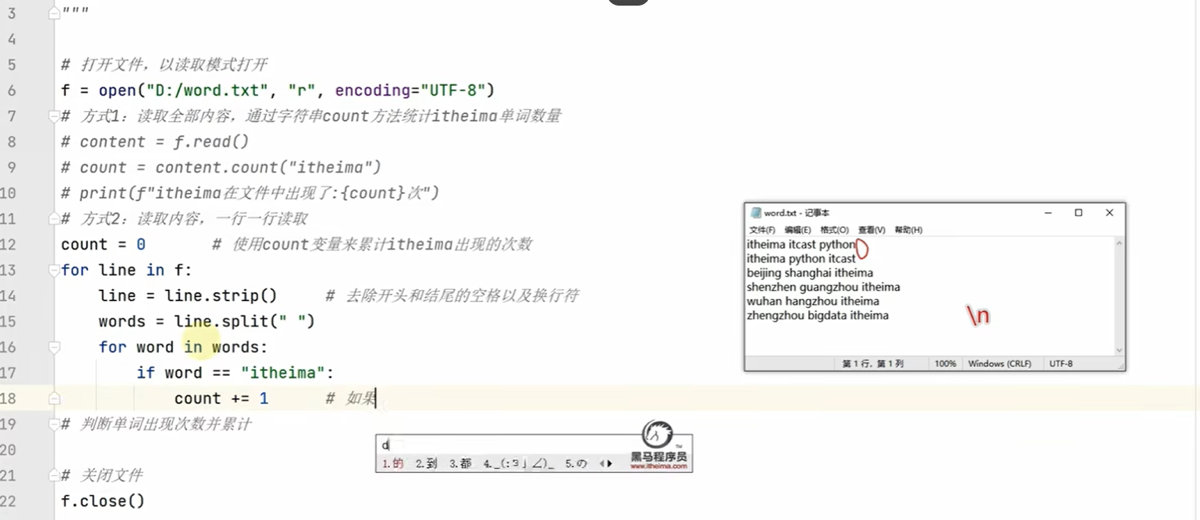
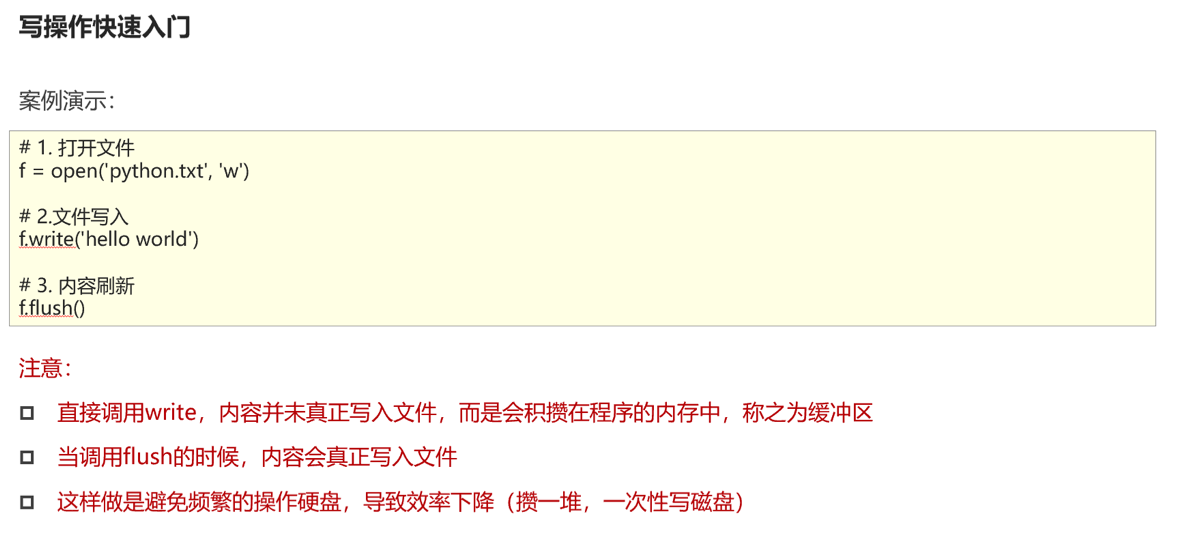
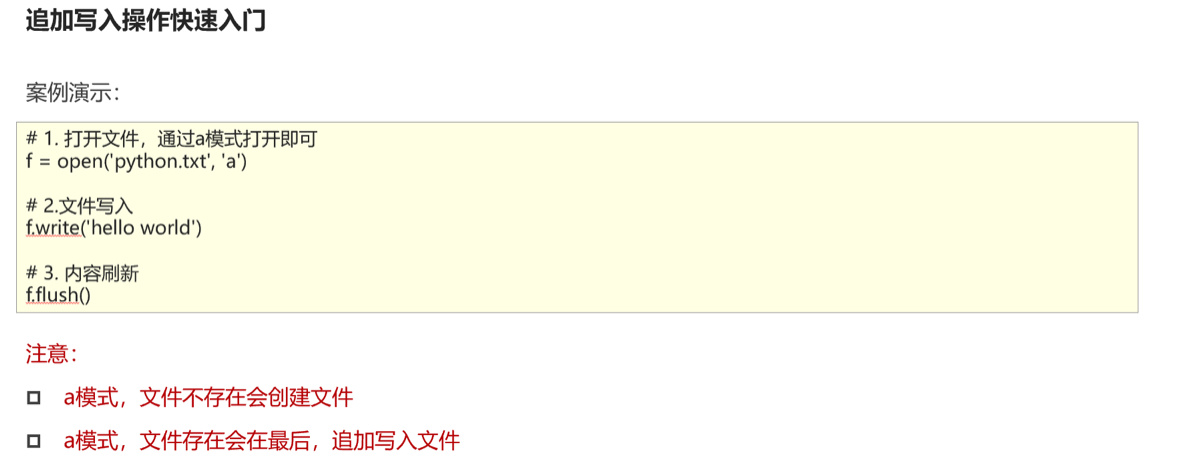
文件操作
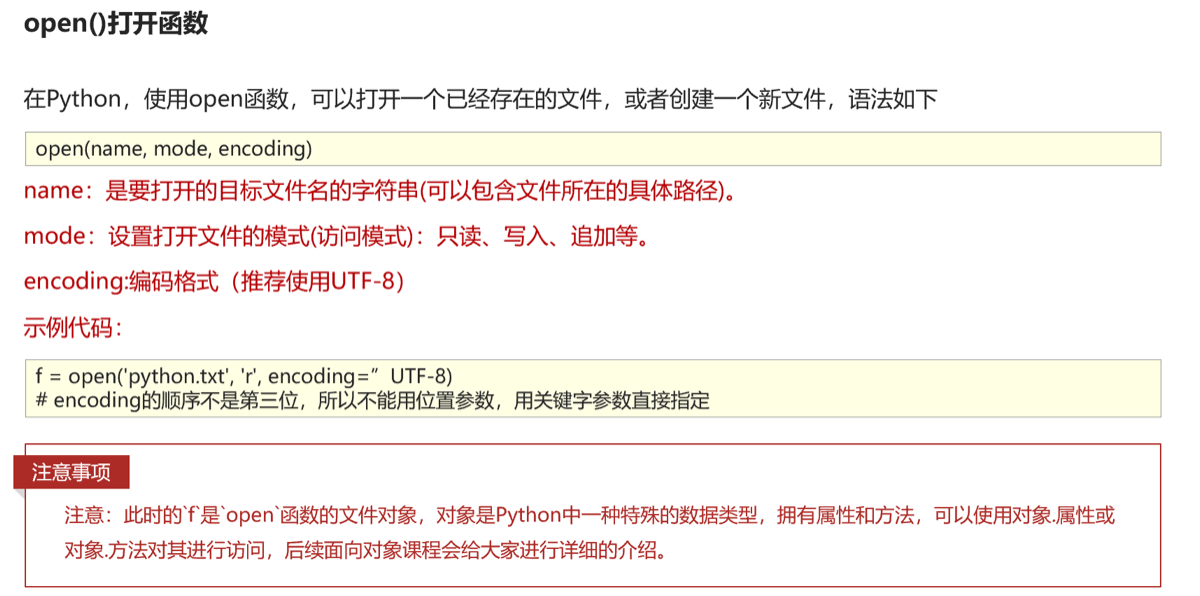

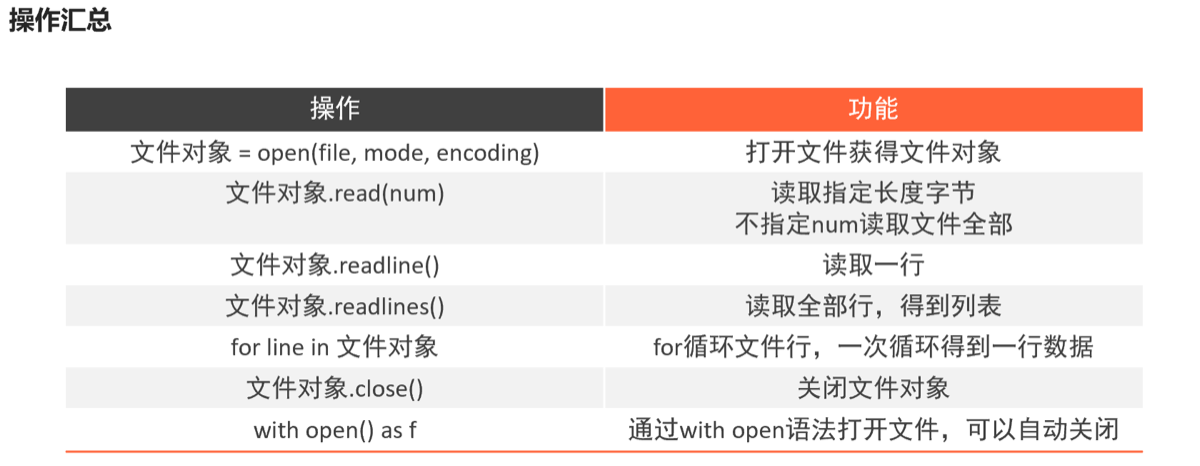
异常
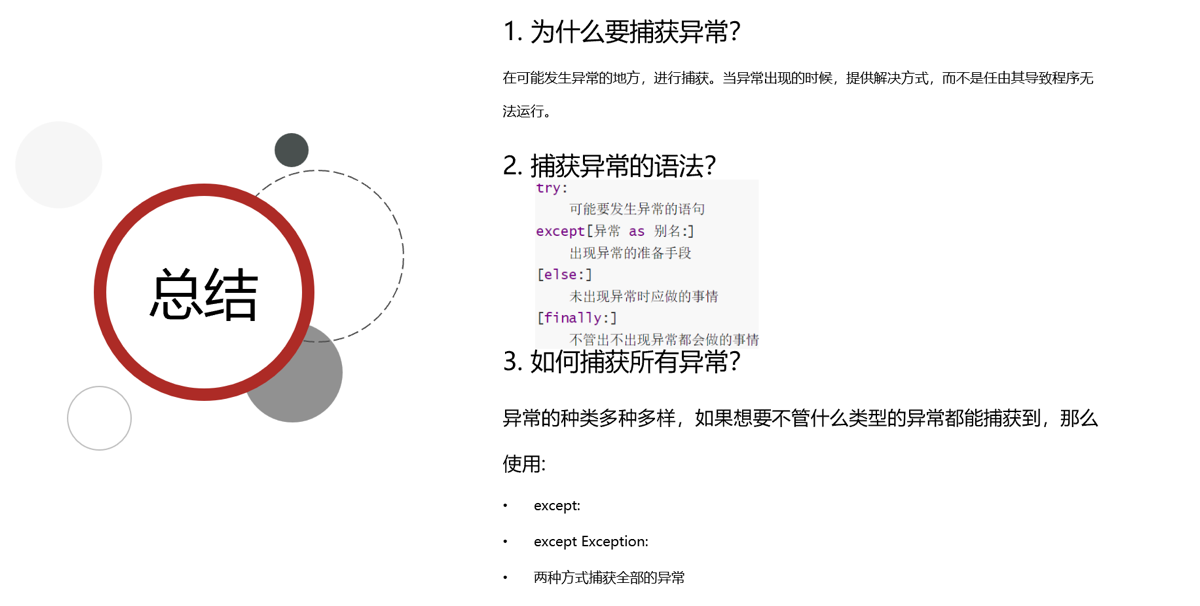
- 异常的传递性
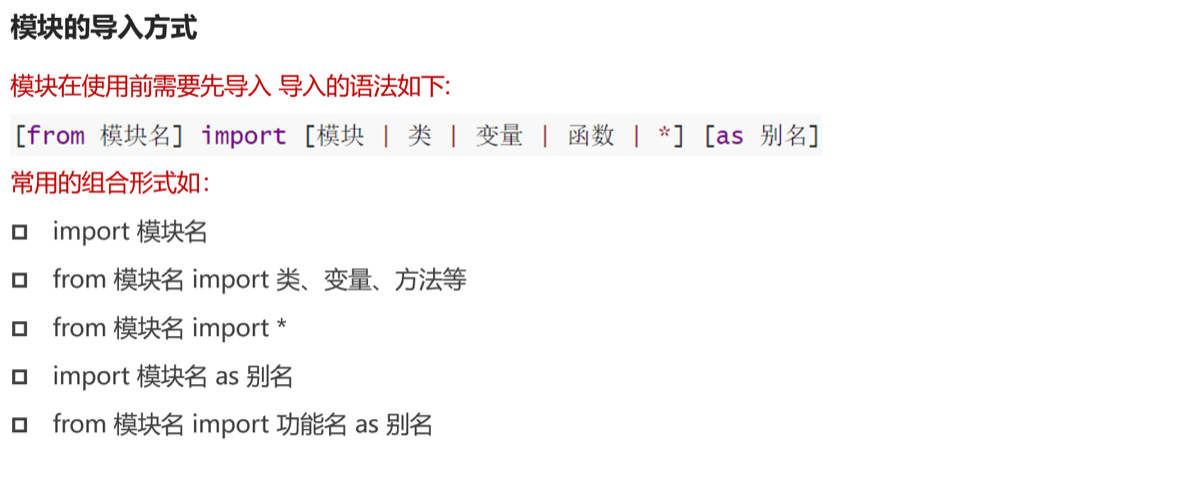
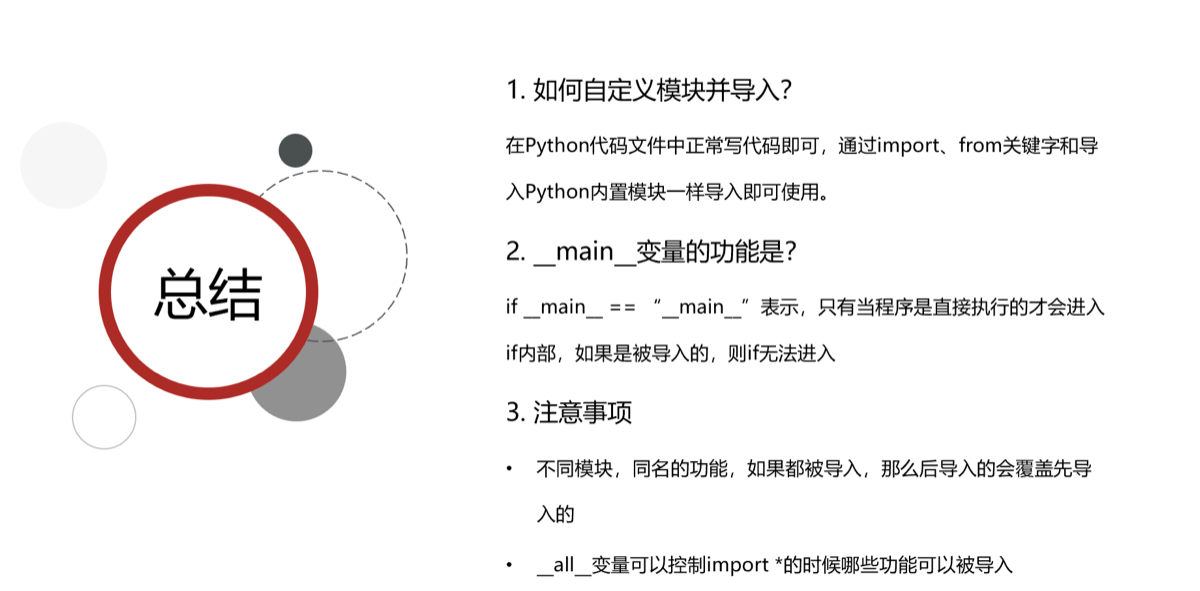
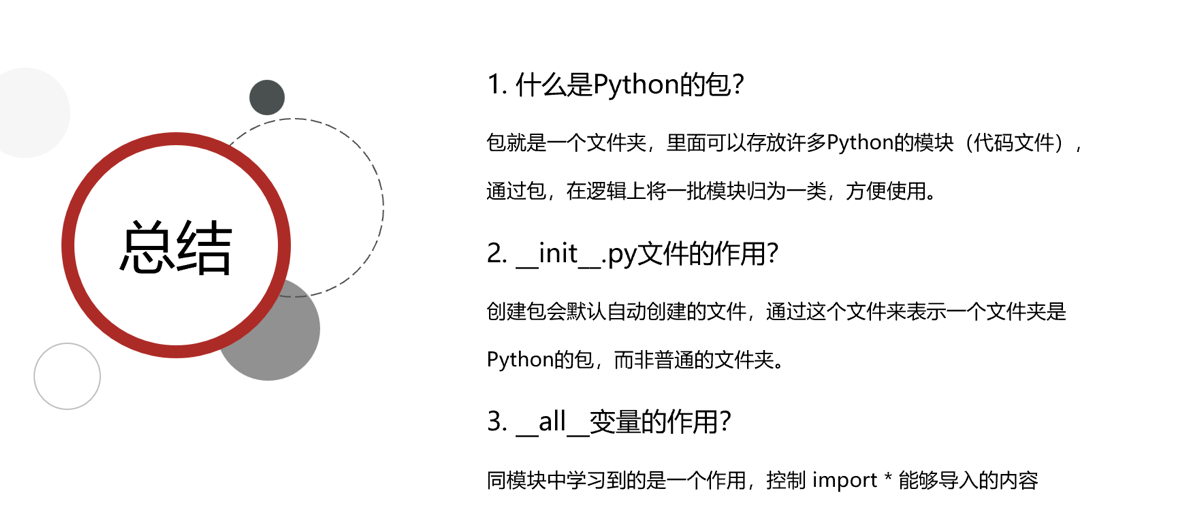
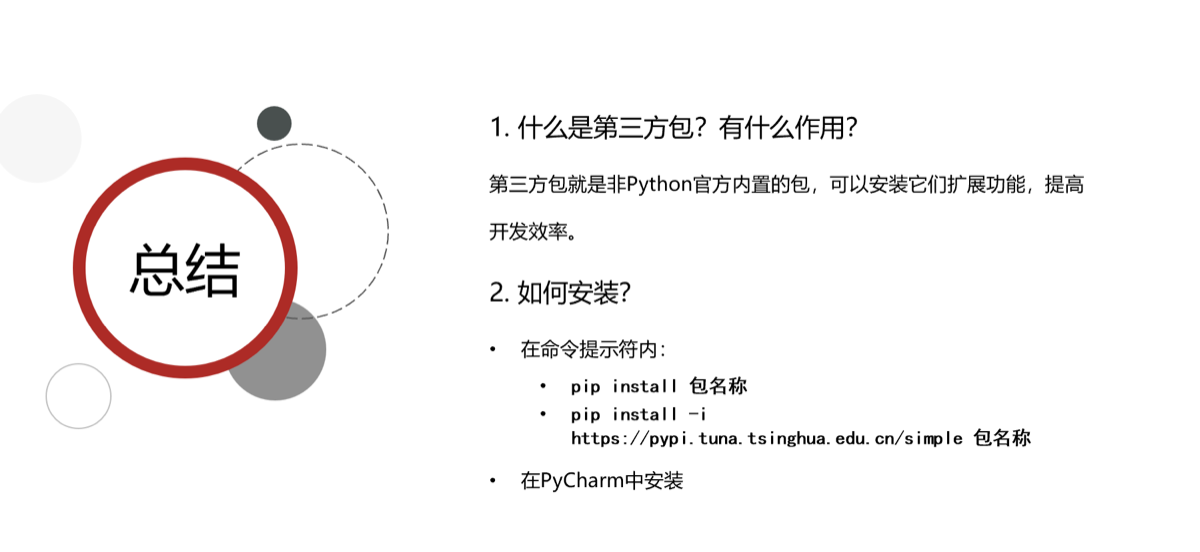
模块
-----------
数据可视化
json格式
import json
# 准备一个列表
data = [{"name":"长大山","age":10},{"name":"王大锤","age":12},{"name":"赵啸虎","age":17}]
json_str = json.dumps(data,ensure_ascii= False)
print(json_str)
print(type(json_str))
#准备一个字典
dic = {"name":"周杰伦","age":10}
json_str2 = json.dumps(dic)
print(json_str2)
print(type(json_str2))
#将json字符串转换为python数据类型
j = '[{"name": "长大山", "age": 10}, {"name": "王大锤", "age": 12}, {"name": "赵啸虎", "age": 17}]'
result=json.loads(j)
print(result)
print(type(result))

结果
[{"name": "长大山", "age": 10}, {"name": "王大锤", "age": 12}, {"name": "赵啸虎", "age": 17}]
<class 'str'>
{"name": "\u5468\u6770\u4f26", "age": 10}
<class 'str'>
[{'name': '长大山', 'age': 10}, {'name': '王大锤', 'age': 12}, {'name': '赵啸虎', 'age': 17}]
<class 'list'>json用参数ensure_ascii= False来展示中文
pyecharts模块
from pyecharts.charts import Line
from pyecharts.options import TitleOpts,LegendOpts,ToolboxOpts,VisualMapOpts
# 创建一个折线图对象
line = Line()
#给对象添加x轴数据
line.add_xaxis(["中国","美国","法国"])
#添加y轴
line.add_yaxis("GDP",[40,20,10])

# 设置全局配置项
line.set_global_opts(
    title_opts=TitleOpts(title="GDP展示",pos_left="center",pos_bottom="1%"),
    legend_opts=LegendOpts(is_show=True),
    toolbox_opts=ToolboxOpts(is_show=True),
    visualmap_opts=VisualMapOpts(is_show=True)
)
#render方法,将代码生成图像
line.render()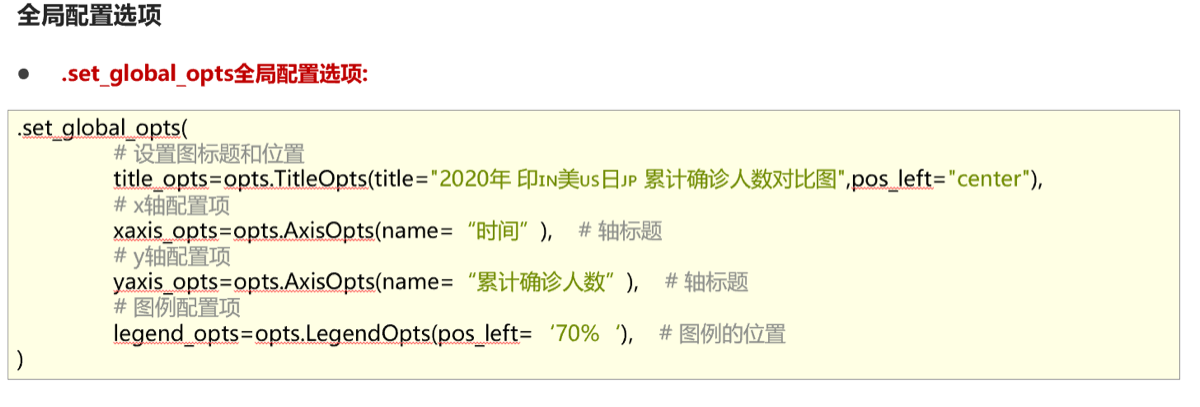
面向对象编程
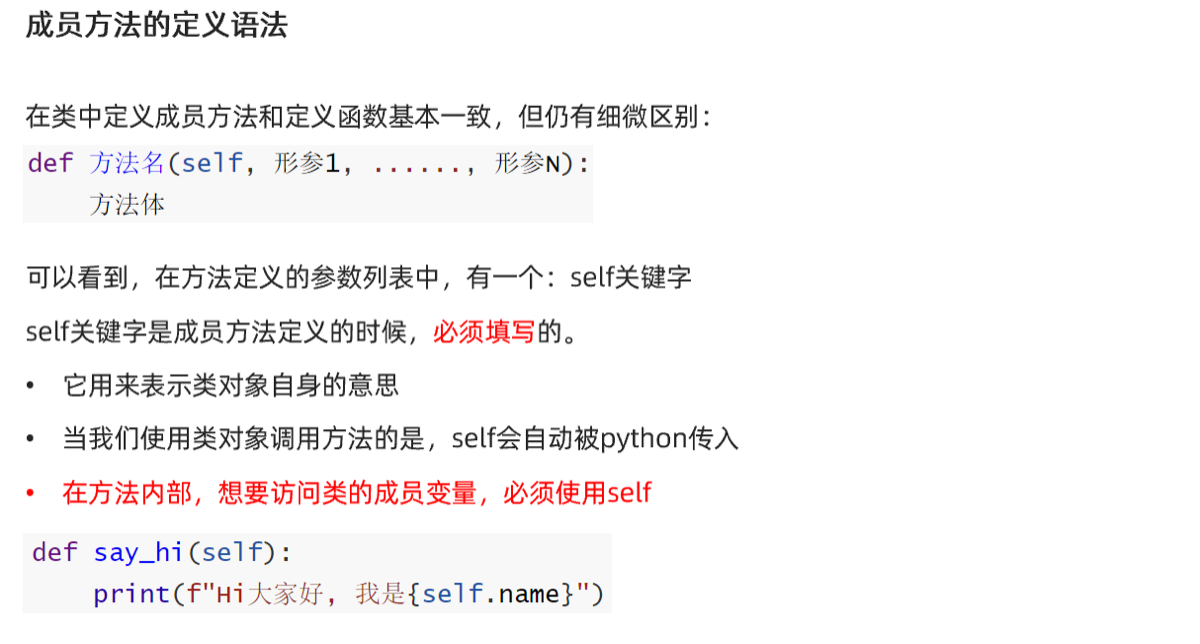
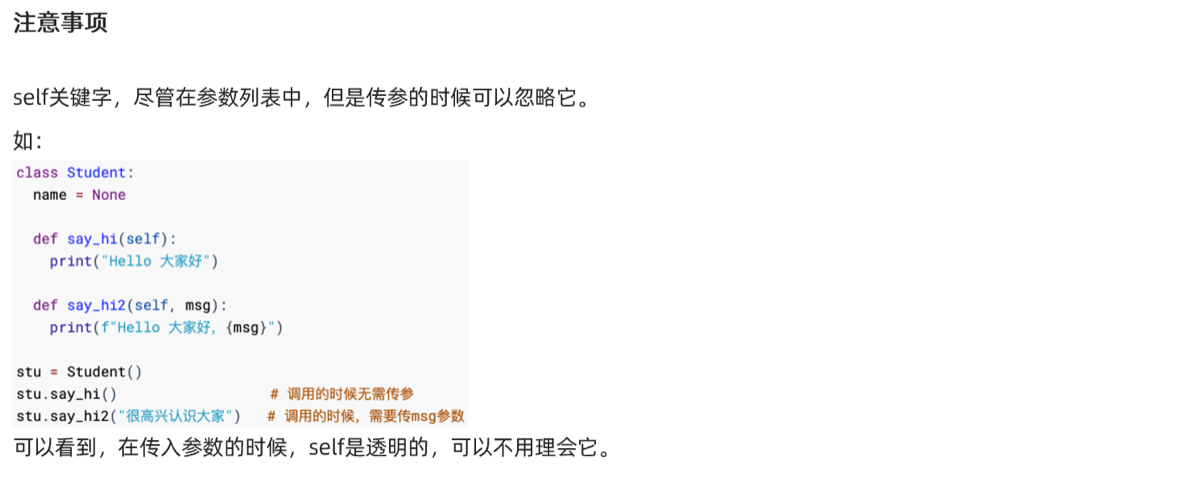
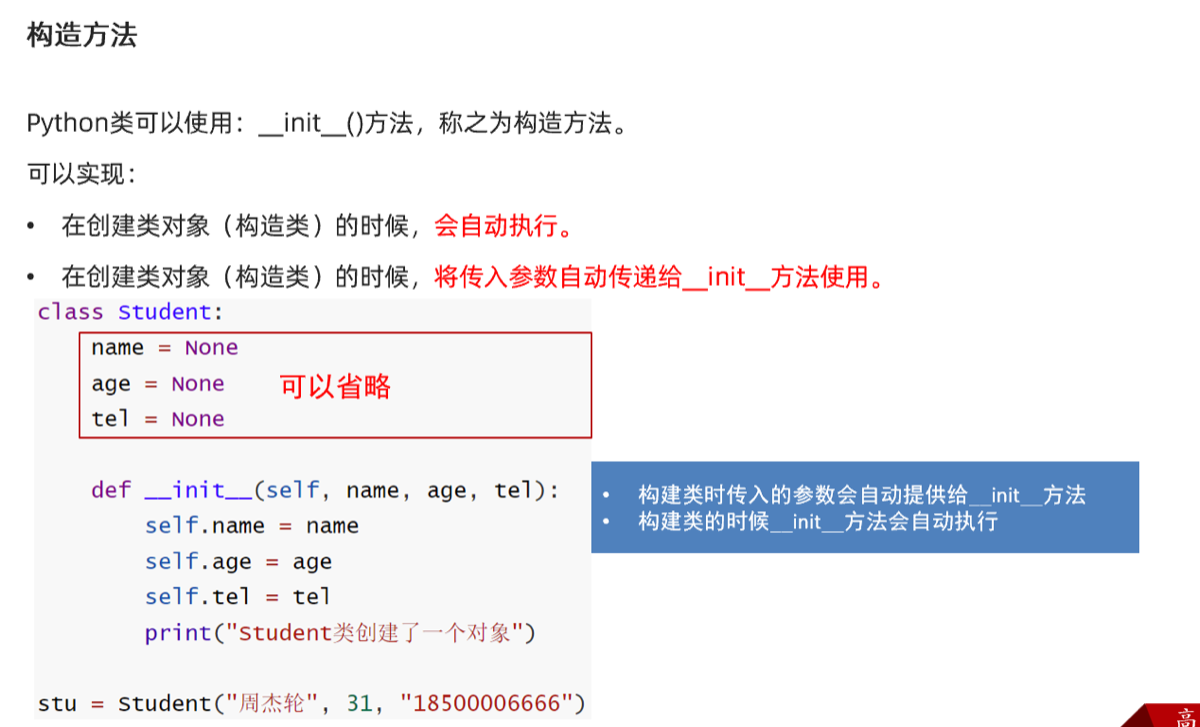
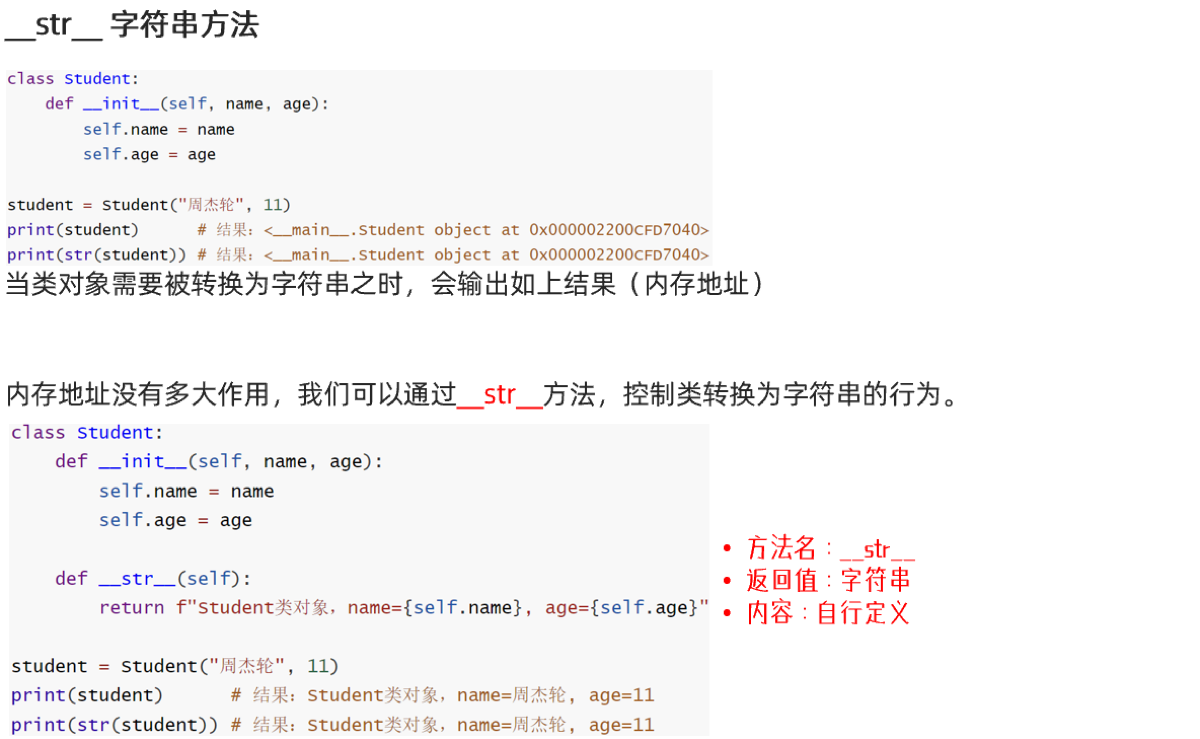
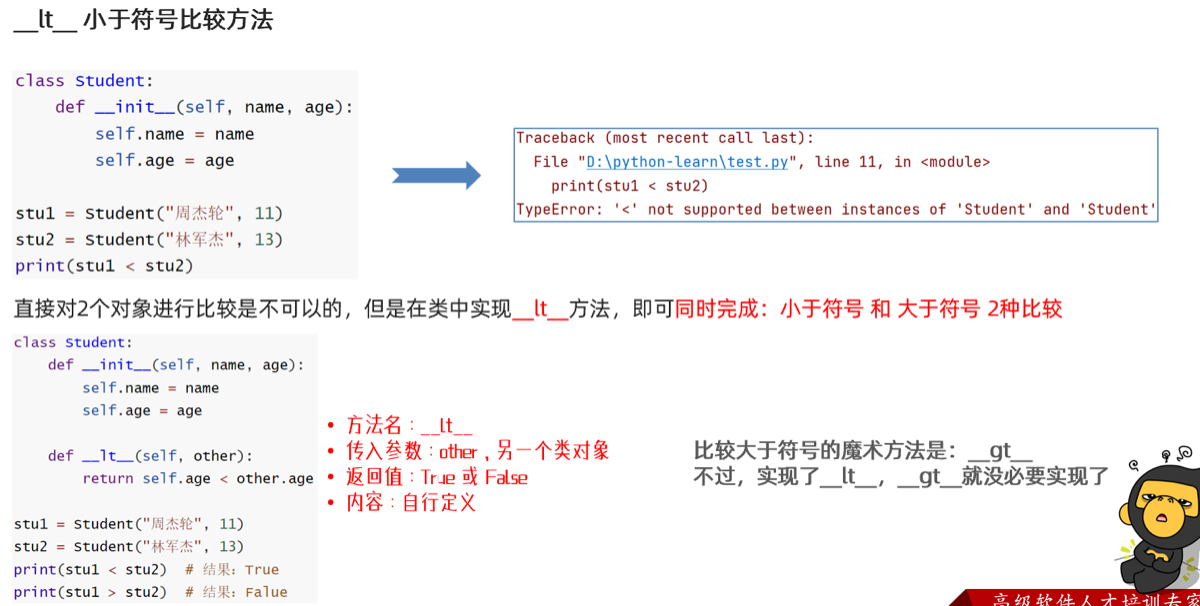
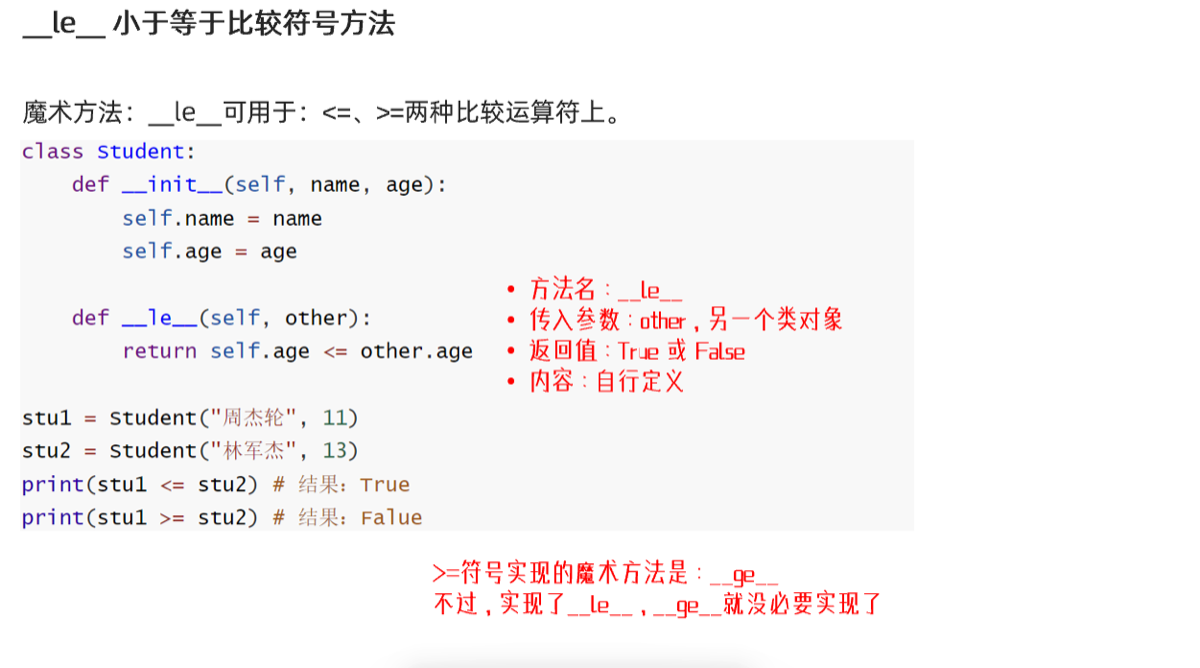
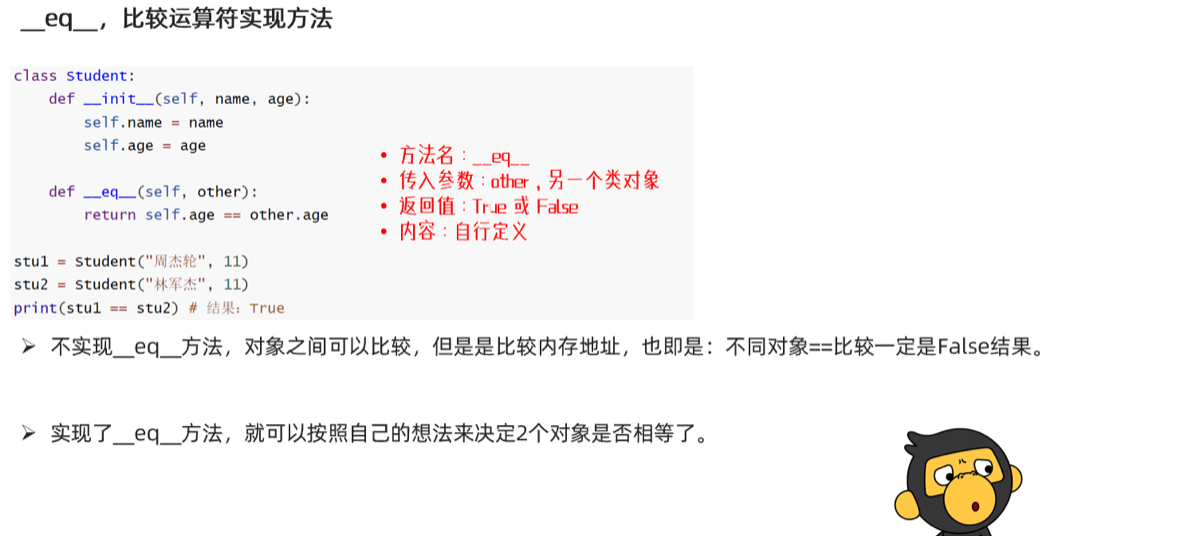
魔法函数
三大特性
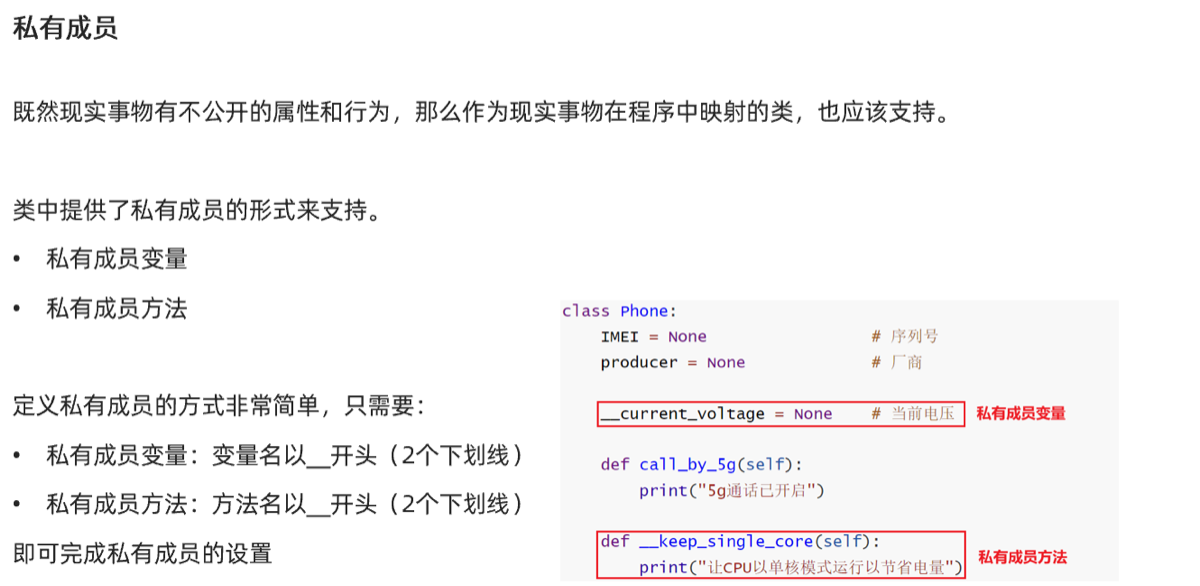
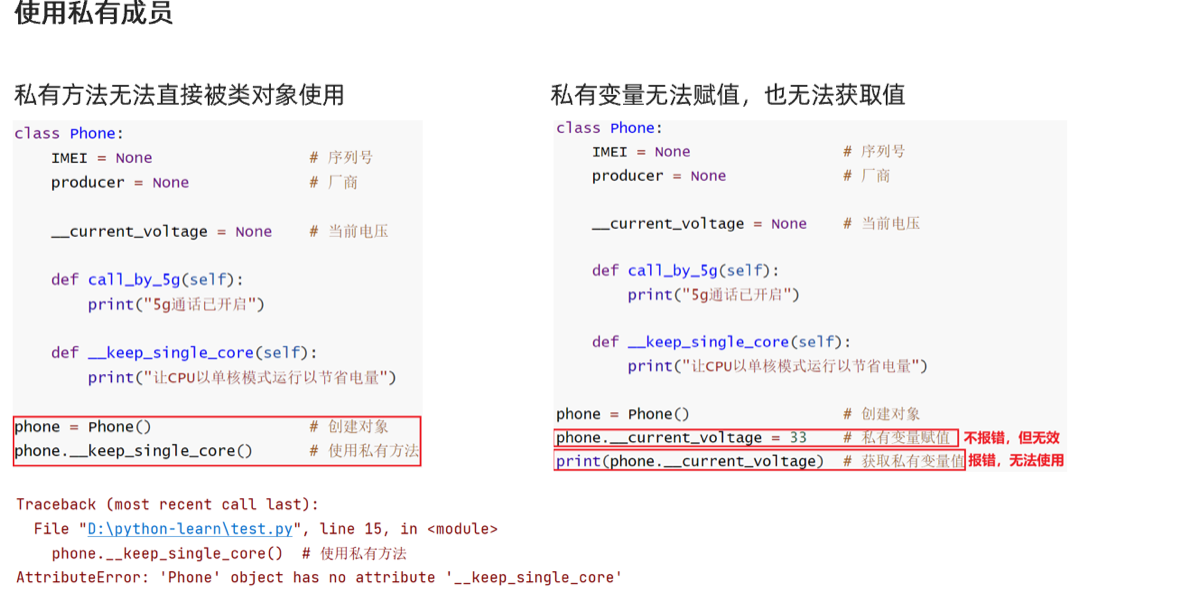
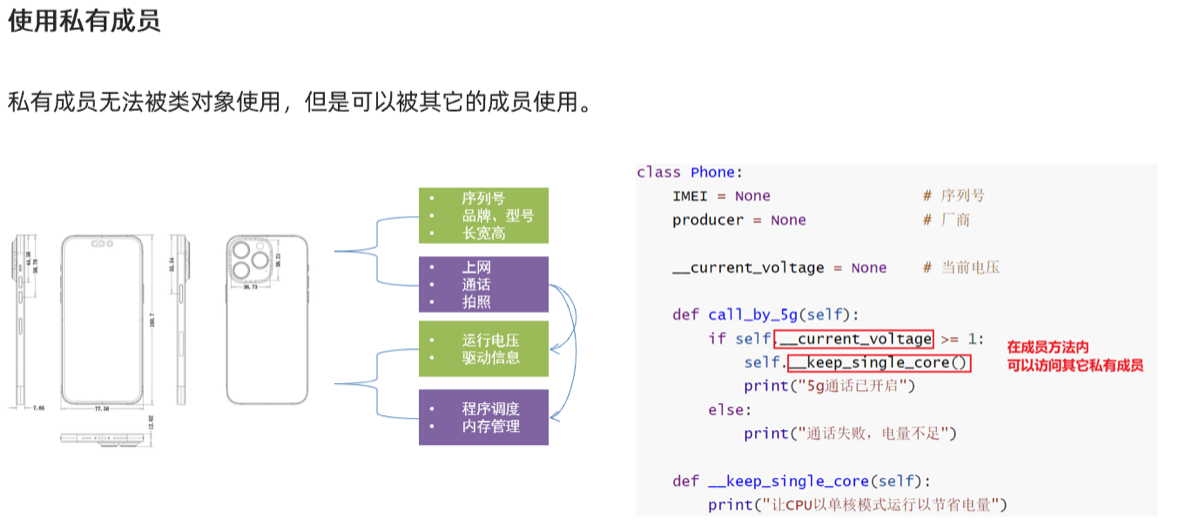
封装
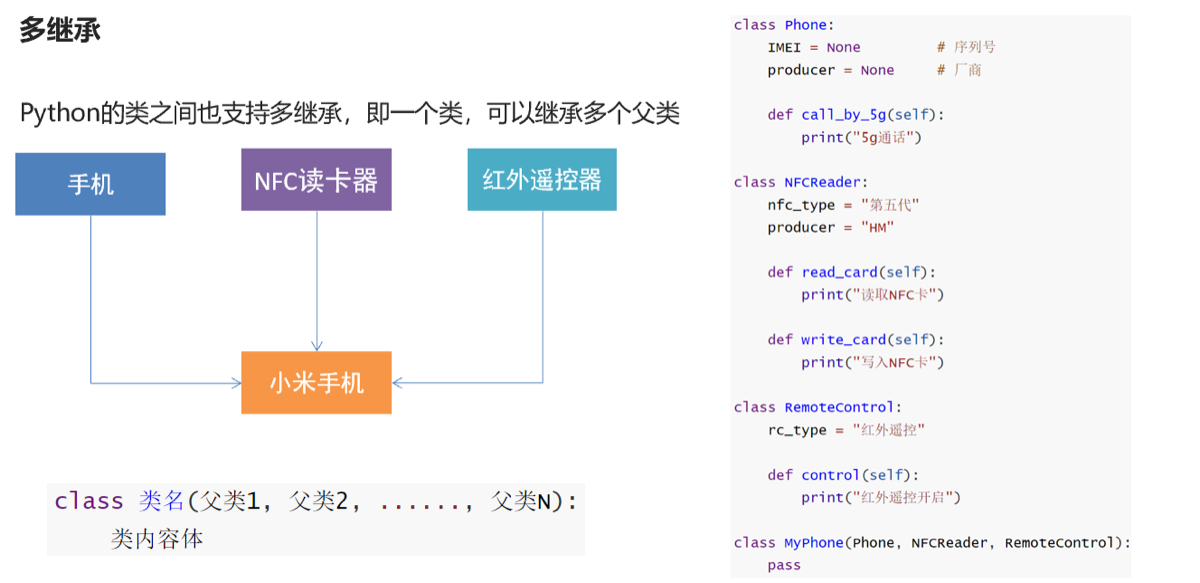
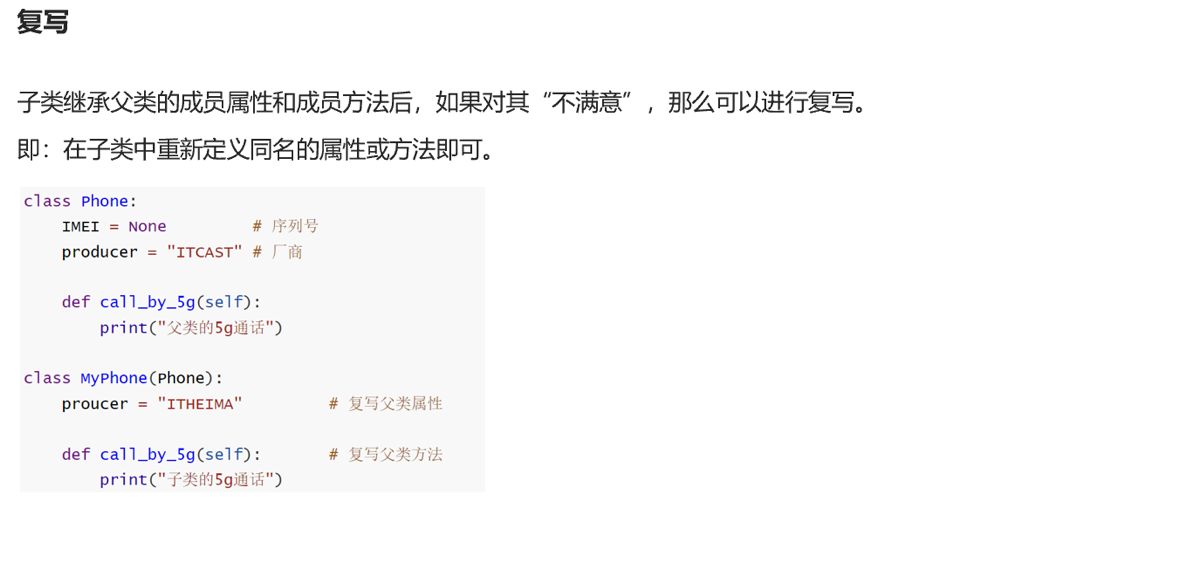
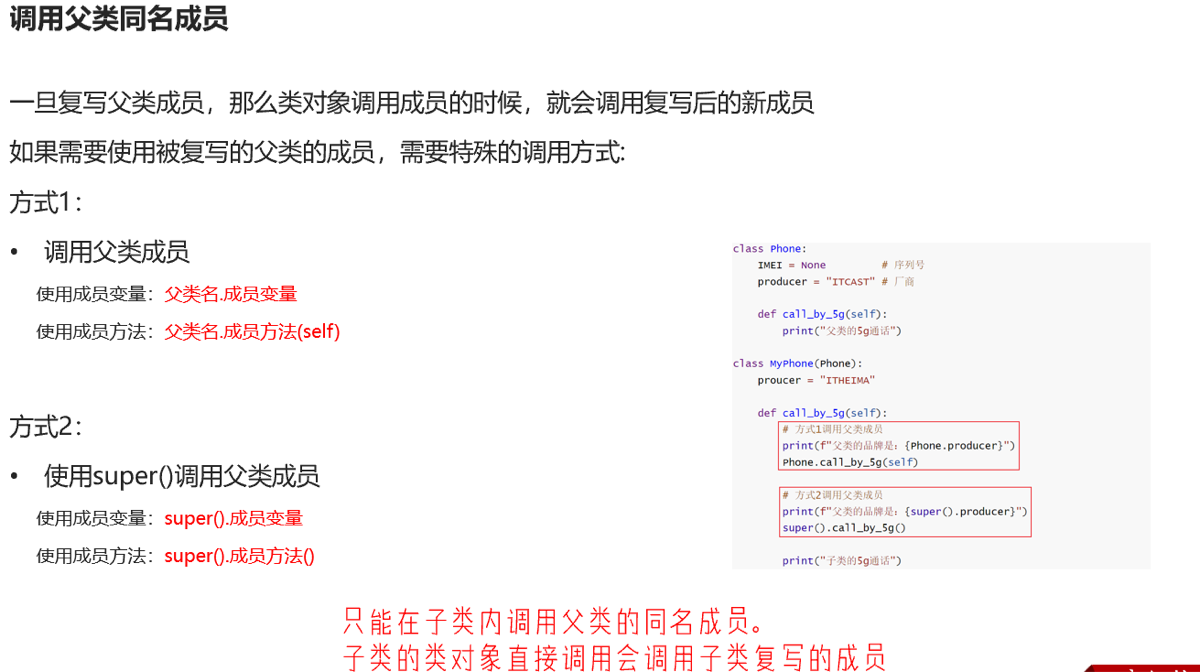
继承
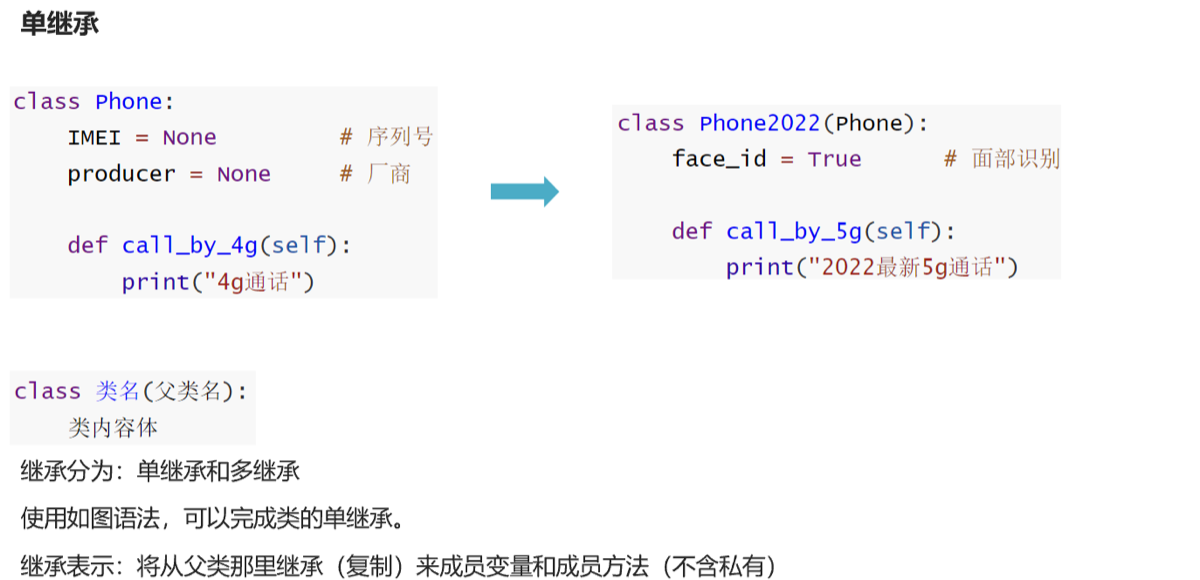
-
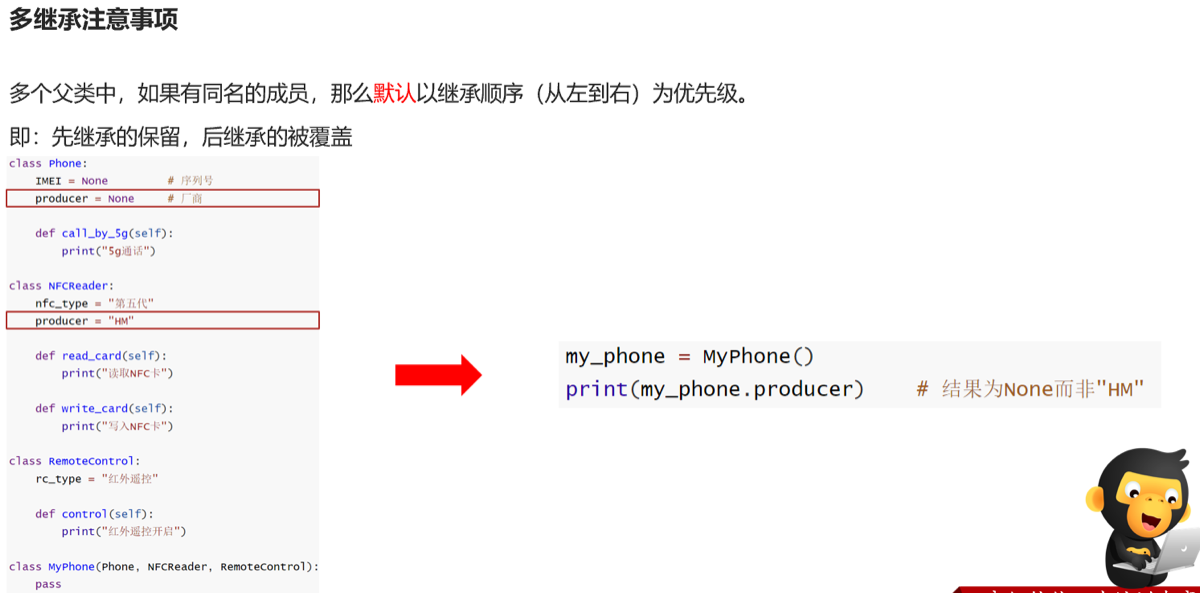
若父类有多个同名成员,则按左向右优先级排列,优先级低的被覆盖
-
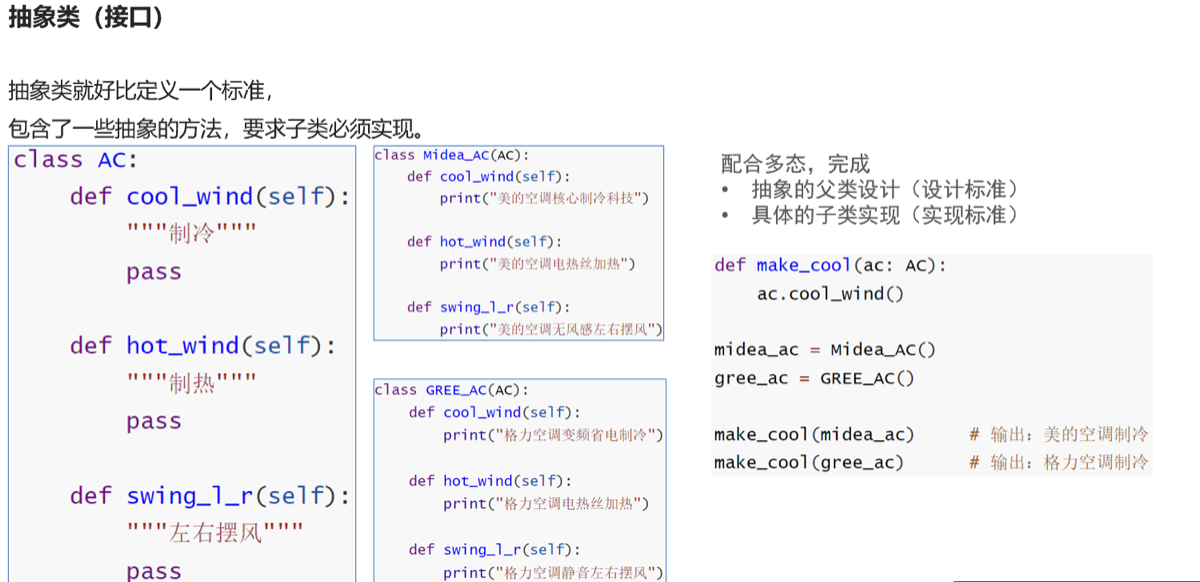
pass用法:占位语句,保证语法正确性
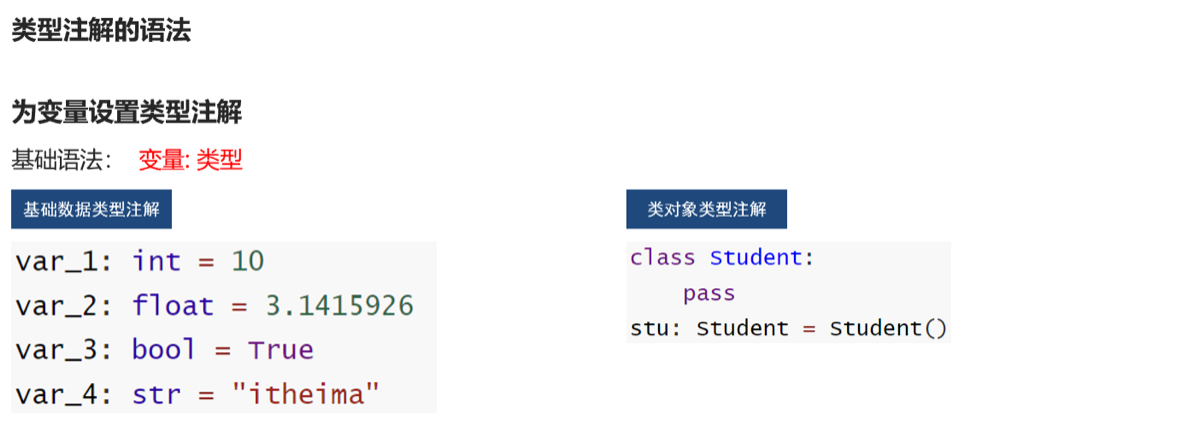
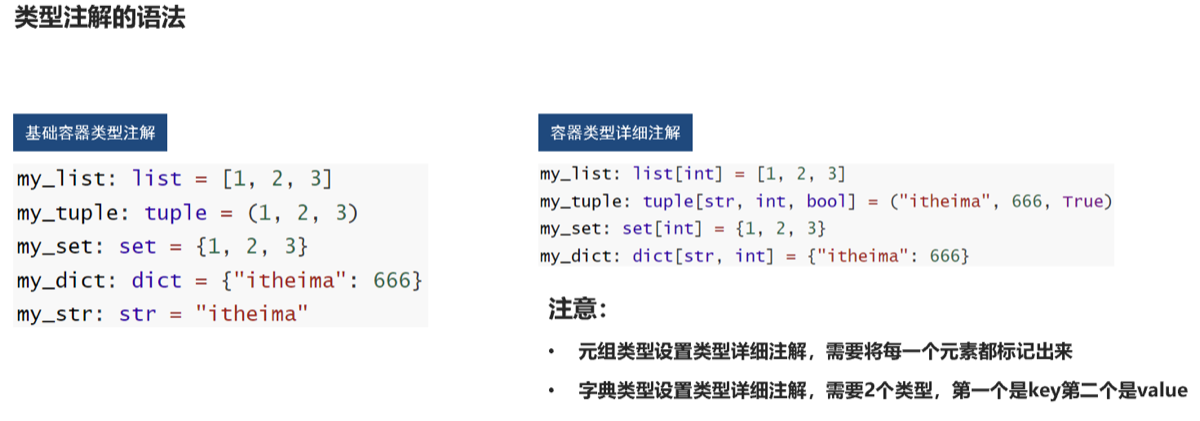
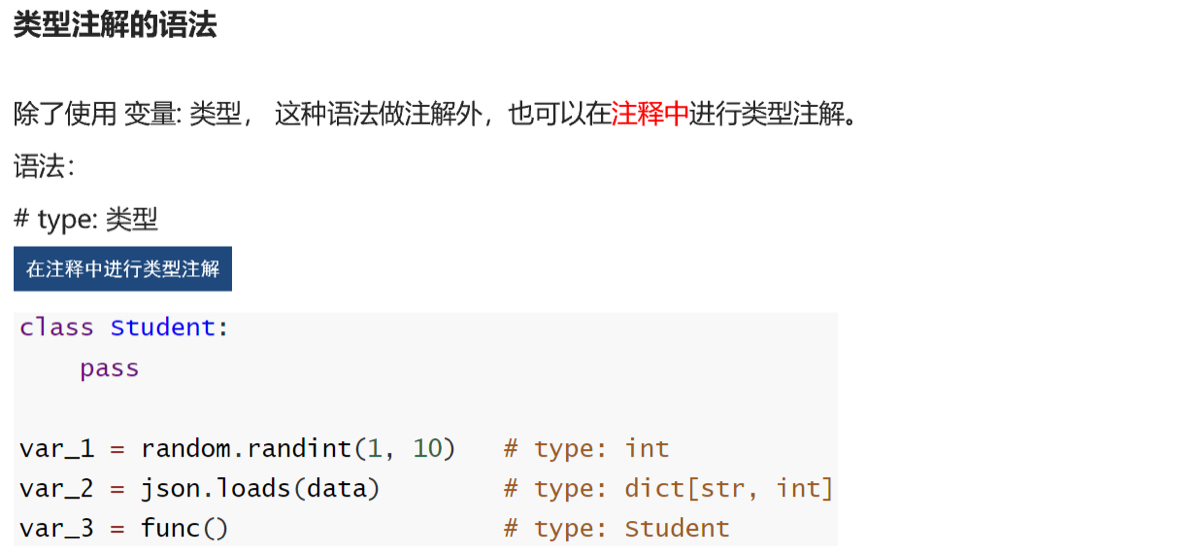
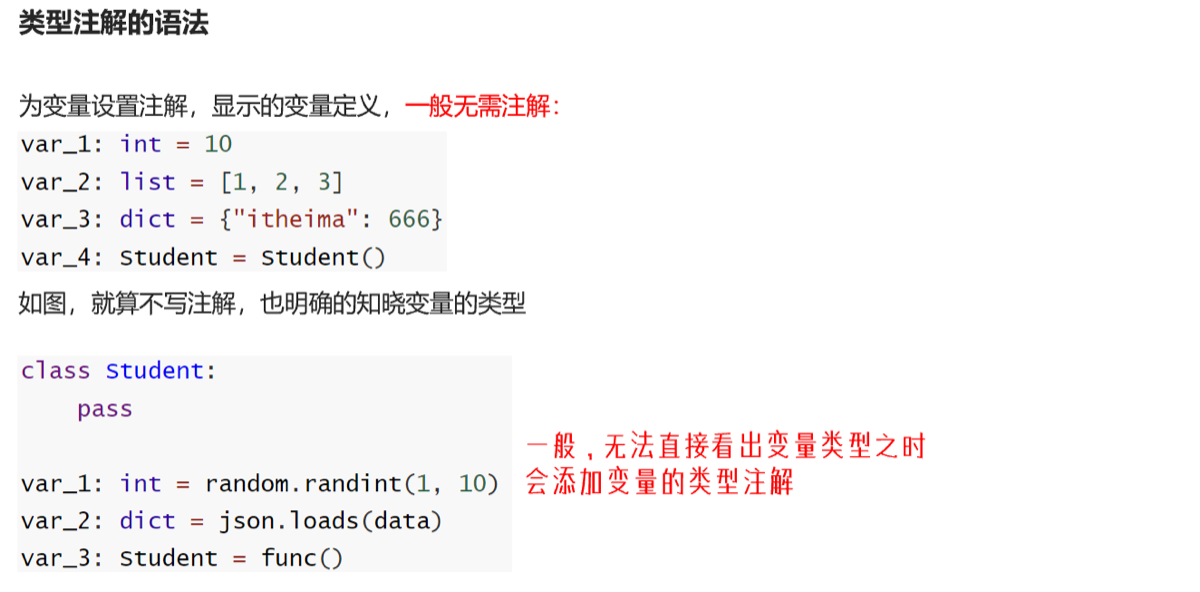
类型注解
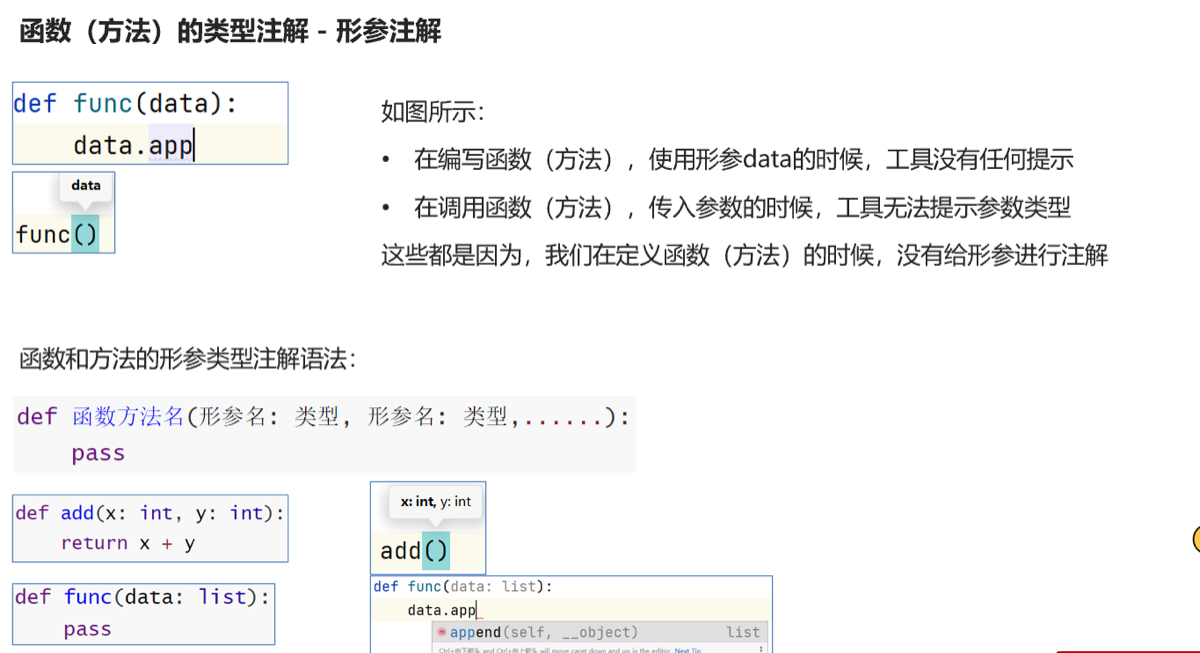
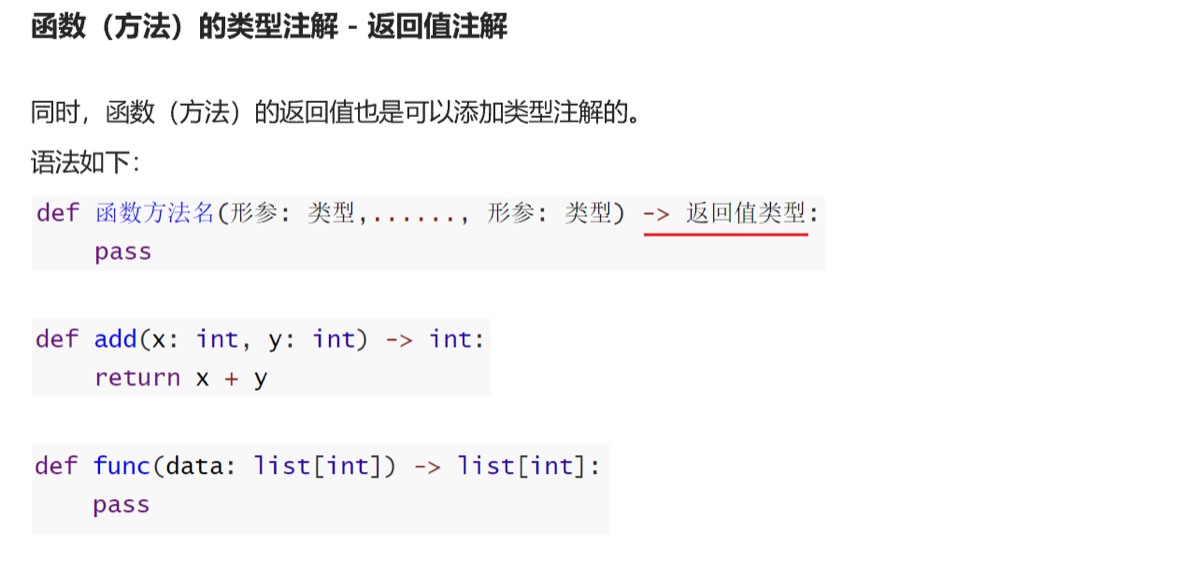
union类型
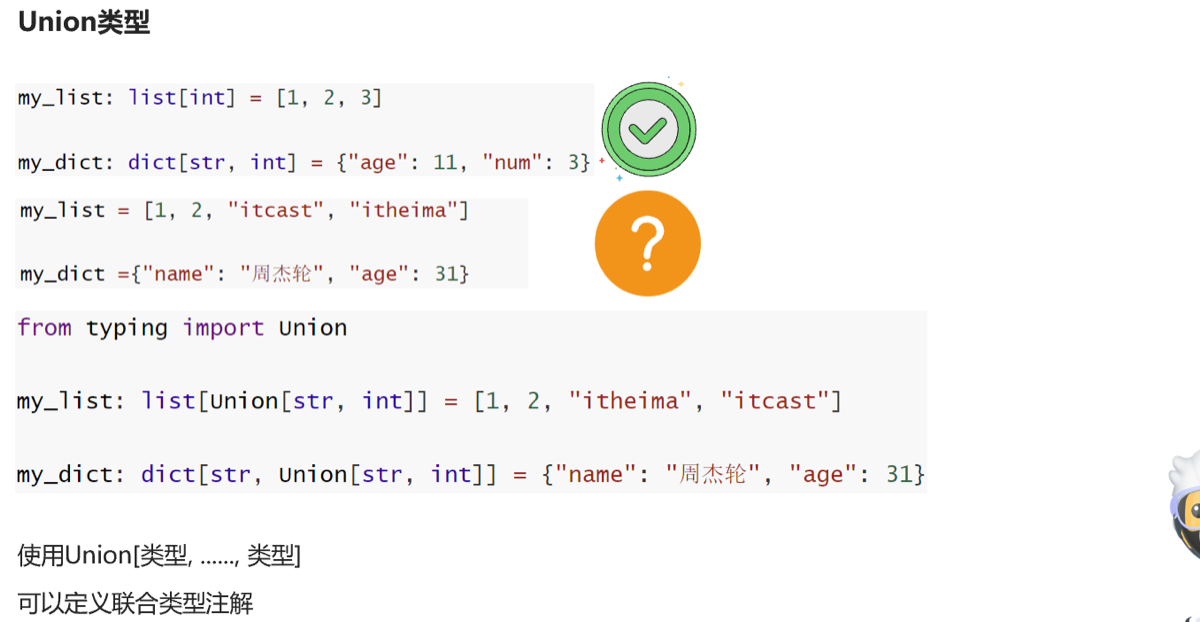
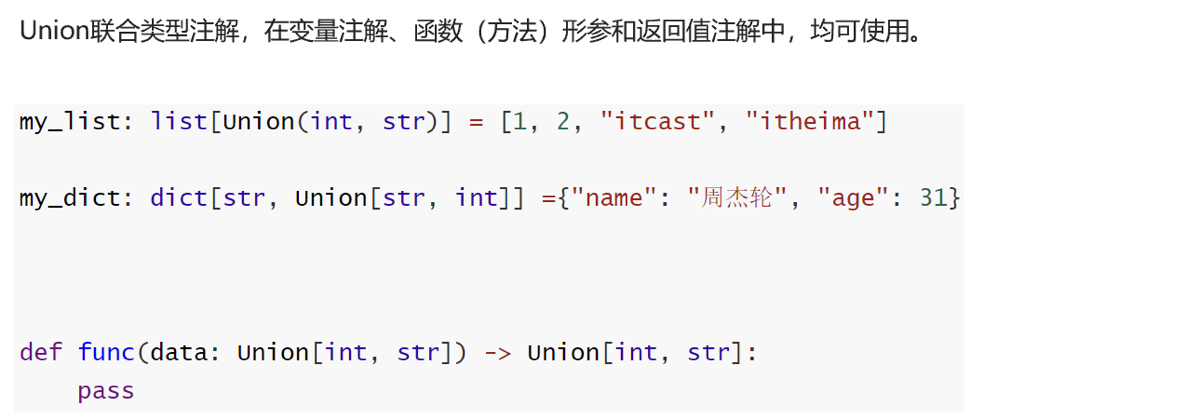
•导包:from typing import Union
多态
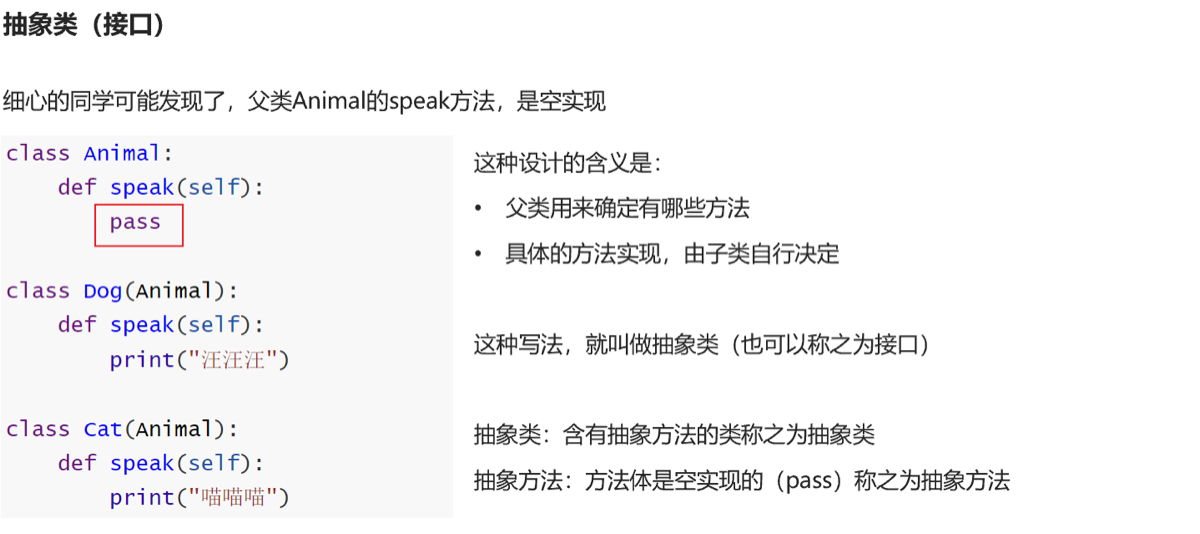 类似于cpp虚函数4.7.1 多态的基本概念
mysql
from pymysql import Connection

conn = Connection(
    host='localhost',
    port=3306,
    user='root',
    password='Aa20020828...',
    autocommit=True
)
print(conn.get_server_info())
# 获取游标对象
cursor=conn.cursor()
conn.select_db('itheima')
#使用游标对象,执行sql语句
# cursor.execute("create table test_pymysql(id int,info varchar(255))")
cursor.execute("select * from user where name = 'Tom3'")
result:tuple=cursor.fetchall()
for x in result:
    print(x)
conn.close()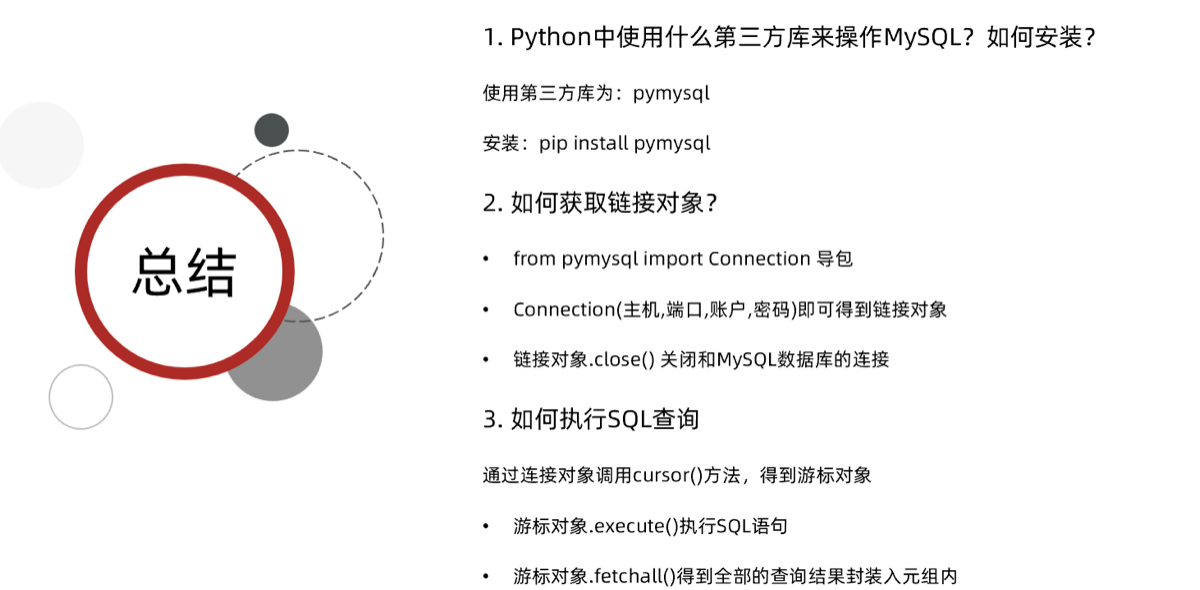
python 链接mysql插入数据是默认需要使用对象.commit()来确认
拾遗
引用计数
x = 10  # 10引用计数加1为1
y = x  # 10引用计数加1为2
x = 11  # 10引用计数减1为1;11引用计数加1为1
del y  # 10引用计数减1为0,触发python垃圾回收机制,python清理10的内存占用
查看内存地址
print(id(x)) # 获取变量的id,可以理解成变量在内存中的地址解压缩
name_list = ['nick', 'egon', 'jason', ]
x, y, z = name_list
print(f'x:{x}, y:{y}, z:{z}')
字典也是可以的,但是字典解压缩的是key。